Legacy endpoint tools were built for a slower world: quarterly release cycles, office-based networks, and a patch model that assumed you could “test for a week, then deploy to everyone.” That model struggles today—not because teams aren’t good, but because the risk is different:
Modern platforms like Microsoft Intune, Windows Autopatch, and Security Copilot agents are moving the industry forward by applying AI + cloud signals to reduce those operational gaps—making deployment, patching, and governance measurably safer than what legacy tools can sustain at scale.
At Mobile Mentor, we frame it like this:
Legacy tools push software.
AI-enhanced platforms manage software risk.
Application Deployment: From "Packaging" to "Trusted, Governed Delivery"
The security problem with legacy deployment
Traditional app deployment often relies on manual packaging and custom detection logic. That's not just time-consuming, it's risky:
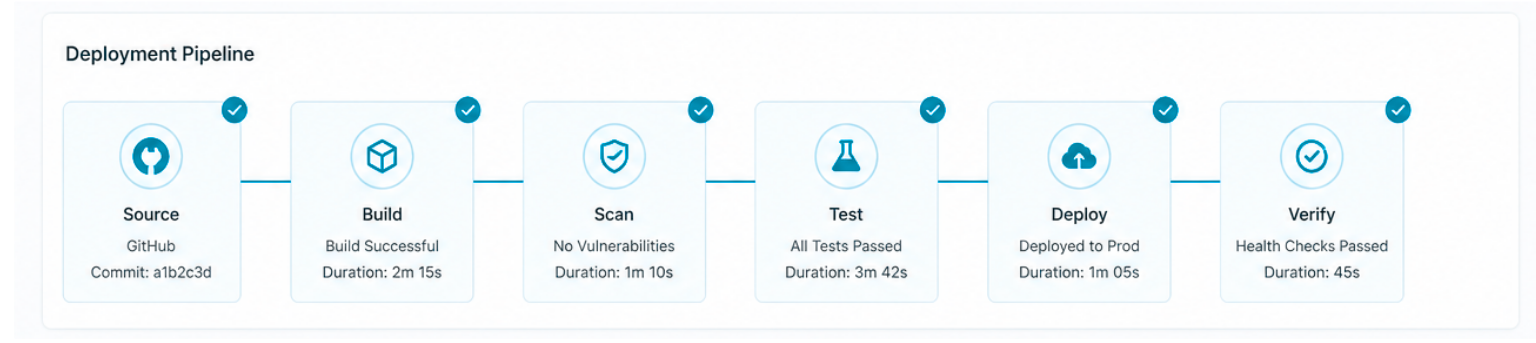
Intune Enterprise Application Management (EAM) shifts the work from “build everything yourself” to “deploy from a Microsoft-hosted enterprise catalog of prepackaged Win32 apps.” It also prefills install/uninstall commands, detection rules, and requirements, reducing human error and standardizing deployments.
More importantly for security, EAM is built to help you keep apps current by simplifying updates through the catalog and reporting on app updates, reducing the patch gap that attackers depend on.
Why this is "AI-era security," not just convenience:
When security teams talk about "attack surface," outdated third‑party apps are always near the top. A deployment model that makes updates easier and more consistent is a security control—not an IT productivity feature.
Patching: From Manual Ring Management to Signal‑Driven, Automated Rollouts
Legacy patching is typically:
That produces two common security failures:
- 1
Patch delay(vulnerability window stays open longer than it should)
- 2
Patch disruption(bad rollout triggers outages → teams pause updates → vulnerability window grows)
- 3
and heavily dependent on how quickly teams can triage issues
How Windows Autopatch “closes the gap”
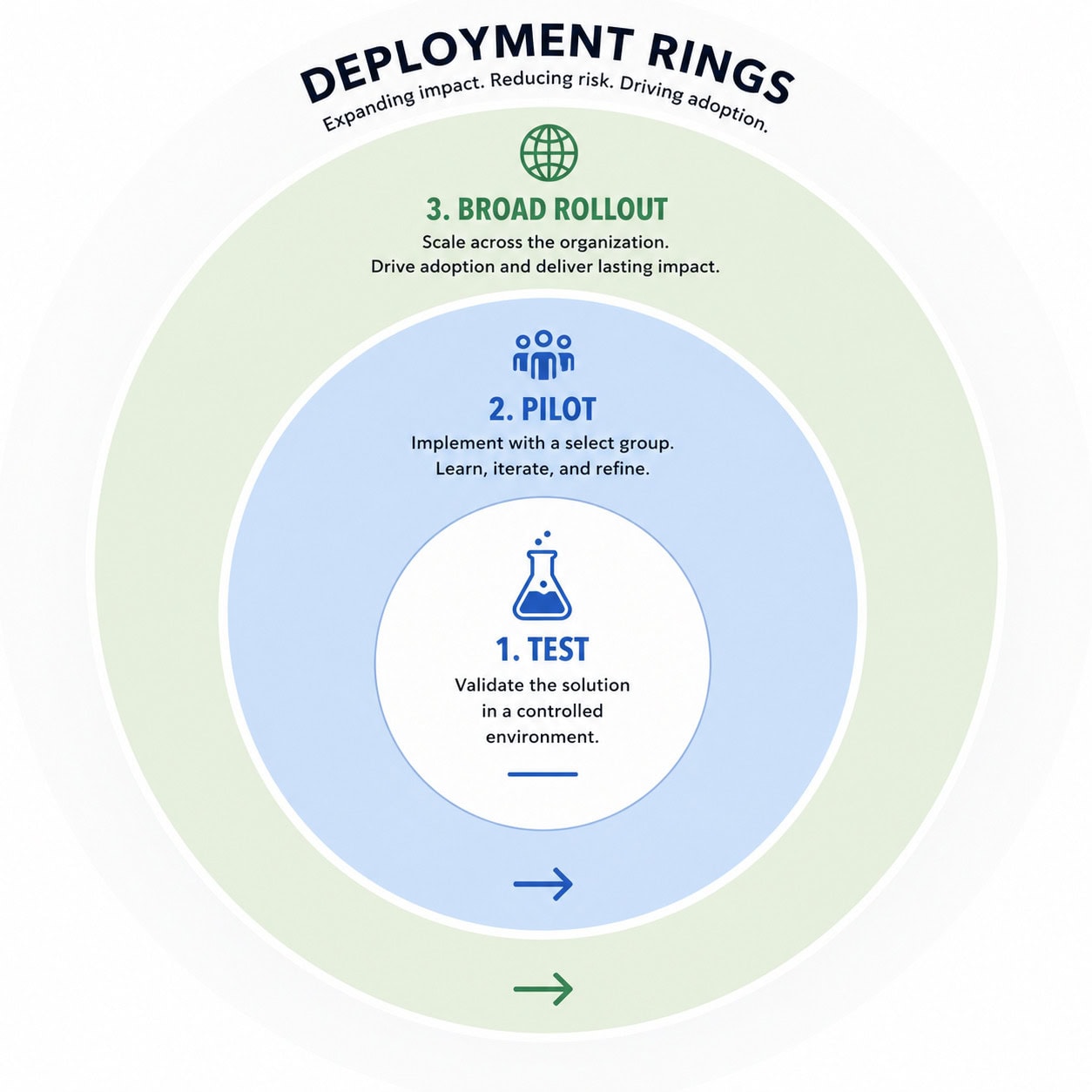
Windows Autopatch is explicitly designed to automate updates for Windows, Microsoft 365 Apps, Edge, and Teams, using sequential deployment rings and reliability/compatibility signals to minimize disruption while keeping devices current.
This matters because it moves patching from:
- 1
we’ll deploy when we have time” to
- 2
“the service rolls forward intelligently, watching for issues.”
Microsoft positions it clearly: Autopatch helps close the security gap by keeping Windows current so there are fewer vulnerabilities to exploit, while also reducing manual overhead.
And in Microsoft's own Windows IT Pro guidance, the service is evolving toward proactive checks and early remediation to catch prerequisites and safeguard issues before broad deployment—again reducing the chance that patching becomes a "pause everything" moment.
Net effect: faster patching with fewer "rollback panics"—a direct security win.
Vulnerability Governance: From "Lists of CVEs" to AI‑Prioritized Remediation
The security problem with legacy vulnerability management
Most organizations don't have a vulnerability detection problem—they have a prioritization and remediation problem.
Legacy tools often flood teams with:
- 1
long vulnerability lists
- 2
unclear business impact
- 3
no clean path to remediate through the same management plane
How AI changes remediation workflows
The Vulnerability Remediation Agent for Security Copilot in Intune uses data from Microsoft Defender Vulnerability Management to:
- 1
identify CVEs on managed devices
- 2
prioritizethem for remediation
- 3
and provide step-by-step guidance for how to fix them using
That's a major leap from "here are 5,000 vulnerabilities" to:
"Here are the vulnerabilities that matter most on your endpoints, plus the exact Intune actions to reduce risk."
This is governance as an operational loop: detect → prioritize → guide → remediate → track
—and it's designed to shrink time-to-fix.
Change Governance: AI Guardrails That Reduce the Risk of Admin Actions
The uncomfortable truth is some of the most damaging incidents come from:
- 1
compromised admin credentials
- 2
risky scripts
- 3
unreviewed deployments
- 4
or well-intentioned mistakes executed at scale
Legacy tools are powerful—but they often assume the admin is always right.
How AI-enabled governance reduces blast radius
Intune's Change Review Agent (powered by Security Copilot) evaluates Multi‑Admin Approval requests for PowerShell scripts and produces risk-based recommendations and contextual insights to help approvers make safer decisions faster.
It does this by aggregating signals from multiple sources, including:
- 1
Defender vulnerability/threat insights
- 2
Entra identity risk
- 3
Intune request context and history
This is the core shift:
- 1
Instead of “approve because John wrote the script,”
- 2
you get AI-assisted risk context across identity + endpoint + threat signals before something is deployed broadly.
And multi-admin approval itself is a governance pattern designed to protect endpoints by requiring a second administrator to approve deployments of apps/scripts—reducing the chance that a single compromised or mistaken admin can push harmful changes.
Why This Wins: AI Improves Security by Reducing "Operational Attack Surface"
When you zoom out, the biggest security advantage of AI-enhanced deployment, patching, and governance is not that it replaces humans—it's that it reduces the operational cracks attackers exploit:
- 1
Patch gaps shrink because rollouts are automated and signal-aware
- 2
App version drift shrinks because catalog-driven deployment and simplified updates reduce lag and inconsistency
- 3
Remediation prioritization improves because CVEs become actionable, not overwhelming
- 4
Admin-risk decreases because high-impact changes get AI-assisted review and multi-admin governance
This is why modern endpoint security increasingly looks like an integrated control plane—where identity, device health, vulnerability intel, and governance workflows reinforce each other.
Conclusion
Legacy tooling can still deploy apps and patches. The difference is how safely it can do so at modern scale.
AI is making modern platforms more secure because it:
- 1
uses real-world signals to guide rollout decisions
- 2
prioritizes what matters most
- 3
and puts guardrails around the most dangerous admin actions
In other words:
Legacy tools execute tasks.
AI-enhanced platforms execute tasks with context—and that context is where security lives.