
Workspace ONE UEM (AirWatch) to Intune Migration
A proven path from Workspace ONE to Microsoft Intune
Leverage Mobile Mentor’s proven migration process to seamlessly move from Workspace ONE to Microsoft Intune. Modernize your modern endpoint management strategy, simplify administration, strengthen endpoint security, and unlock the benefits of Microsoft’s cloud-native platform.
Do you have a plan to successfully migrate from Workspace ONE (Airwatch) to Intune?
Microsoft Intune has matured into a powerful platform for unified endpoint management, giving businesses a cloud-native approach to managing Windows, macOS, iOS, iPadOS, and Android devices.
Many businesses are exploring their options for moving from Workspace ONE to Intune as they look to consolidate their Microsoft environment, improve endpoint security, and simplify device administration.
Our migration plan gives you a roadmap, timeline, and best practices for moving from Workspace ONE to Intune.
We assess your Workspace ONE UEM environment, identify gaps and dependencies, and create a tailored migration plan. You receive a deployment roadmap, timeline, and best-practice guidance for user communication.
Migrating to Intune requires you to reconsider security policies, device management profiles, compliance rules, applications, and the impact on employees and contractors. A poorly planned migration can result in data loss, unnecessary device wipes, enrollment issues, and frustrated users.
Our approach is designed to minimize disruption while establishing a foundation for modern device lifecycle management, Zero Trust, and cloud-native management.
WORKSPACE ONE (AIRWATCH) TO INTUNE MIGRATION
A good migration plan will ensure you are successful
Our MDM Migration Plan from Workspace ONE to Intune is based on this proven process:
- Discovery Workshop to understand your use cases, review your security policies, device profiles and compliance rules
- Migration Plan with deployment roadmap, timeline and best practices for user communication
- Planning Workshop to discuss the draft plan, dive into technical issues and map out the first phase in detail.
Successful MDM migrations start with a solid plan that anticipates the impact on your employees and ensures there are no surprises.
The result will be improved security and a better user experience.
WHAT SHOULD I EXPECT?
If you’d like to see a typical Scope for our migration workshop, click the link below.

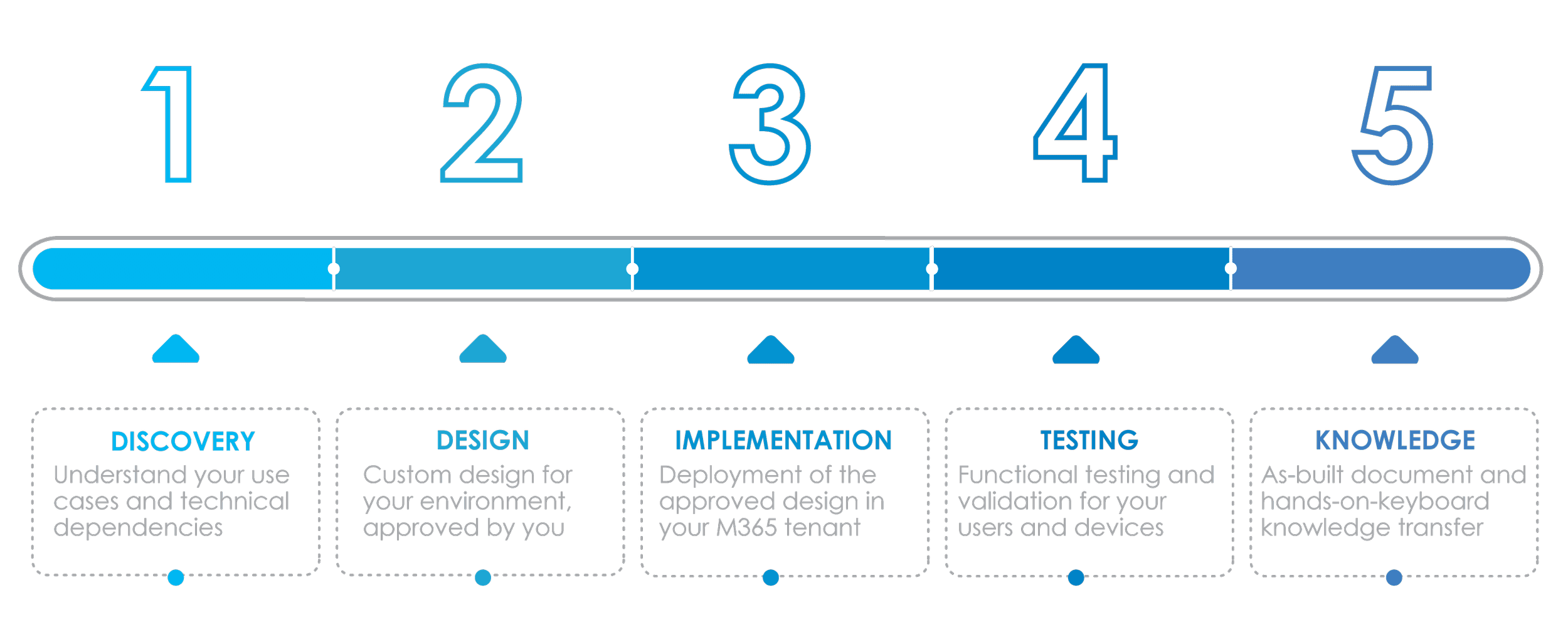
Here is our 5-step approach to migrate you from Workspace ONE (Airwatch) to Intune
- 1
Assess current environment to review security policies, device profiles and compliance rules
- 2
Review use cases, device inventory, ownership, app portfolio
- 3
Perform a gap analysis to see how your use cases can be replicated in Intune
- 4
Draft migration plan with the ideal sequence, technical dependencies and best practices for user comms
- 5
Workshop to review the draft plan, iterate and deliver a final report

A good migration plan will ensure you are successful

“Very thorough, very impressive, and very helpful. I like that you summed it all up for us and it is very clear what our next steps are. Excellent bang for the buck.”

Failing to plan is planning to fail
Avoid a failed migration, frustrated employees and lost credibility by proactively planning your migration with an industry expert.
Switching to Intune can reduce costs, increase security, and improve your user experience, but it needs to be done right.
Since 2004, Mobile Mentor has helped with countless migrations of Workspace ONE to Intune.
Mobile Mentor is a Microsoft Gold partner, and our engineers are certified by Apple and Google.
Learn more about going from Airwatch to Intune
Hear Kevin King, Principal Enterprise Platform Architect of Vanderbilt University Medical Center discuss the investment of moving from Airwatch to Intune.
Why Move from Workspace ONE to Intune?
Moving from Workspace ONE to Intune isn’t simply a platform change. It can be an opportunity to simplify your technology environment, improve security, and get more value from your Microsoft investment.

Workspace ONE to Intune Migration FAQs
GET IN TOUCH
Contact a Mobile Mentor expert today
Mobile Mentor is Microsoft’s 2021 Partner of the Year for Endpoint Management. Our engineers are certified by Microsoft, Apple and Google.
Complete our contact form below and one of our consultants will get back to you within 24 hours.
Featured

Denis O’Shea of Mobile Mentor on The Brand Called You Podcast
In this episode of The Brand Called You, host Ashutosh Garg speaks with Dennis O’Shea, Founder and CEO of Mobile Mentor, about the evolution of mobile technology, AI strategies, cybersecurity, and the impact of Gen Z in the workplace. Packed with leadership insights and actionable takeaways, this conversation is a must-listen for entrepreneurs, technology leaders, and professionals preparing for an AI-driven world.

The AI Enablement Gap: Why AI Adoption Depends on More Than Access
The 2026 Endpoint Ecosystem Study reveals a growing gap between AI adoption and workforce readiness. Learn how role-based training, data readiness, governance, and practical use cases can close it.

Denis O’Shea of Mobile Mentor on the Leadership Beyond Borders Podcast
On the Leadership Beyond Borders podcast, Mobile Mentor CEO Denis O’Shea shares his expert perspective on how these changes are reshaping the modern workplace. The conversation explores the growing tension between traditional security controls and the way employees actually work, along with the new challenges AI introduces around identity, data access, governance, and user experience.


