

Rolling out a new application or policy across an entire business can be a balancing act. Deploy too quickly, and an unexpected issue can affect hundreds or thousands of devices. Move too slowly, and users may wait longer than necessary for important updates.
Microsoft is addressing this challenge with a new feature in Intune: Deployment Plans and Deployments, currently available in public preview.
The feature gives IT administrators more control over how applications and policies reach devices, making it easier to introduce changes gradually and consistently across the entirety of a business.
A More Structured Approach to Deployments
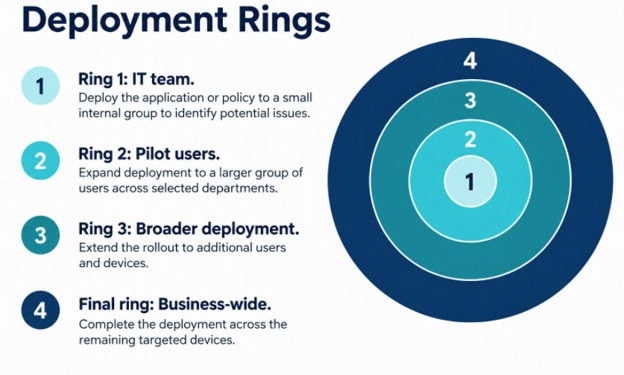
Intune deployments use a staged approach called “rings”. Rather than assigning an application or policy to every targeted device at once, administrators can arrange devices into groups and schedule when each group receives the deployment.
For example, a business might structure a rollout like this:
- 1Ring 1: IT team. Deploy the application or policy to a small internal group to identify potential issues.
- 2Ring 2: Pilot users. Expand deployment to a larger group of users across selected departments.
- 3Ring 3: Broader deployment. Extend the rollout to additional users and devices.
- 4Final ring: Business-wide. Complete the deployment across the remaining targeted devices.
Administrators can define the timing between rings, allowing each stage to progress according to a planned schedule.
This creates an opportunity to identify problems early, make adjustments, and reduce the likelihood of widespread disruption.
Deployment Plans vs. Deployments: What’s the Difference?
Microsoft’s new functionality has two components that work together.
Deployment Plans are reusable templates that establish how rollouts should happen. Administrators can define deployment rings, device groups, assignment filters, and the time between stages. This creates a consistent framework that can be reused for future rollouts.
Deployments put those plans into action. Administrators select a specific application or policy and use an existing deployment plan or configure the rollout manually. Deployments can also be paused, resumed, or canceled as needed.
Deployment plans establish the organization’s approach to rollouts, while deployments determine how a particular application or policy is delivered.
What This Means for IT Teams
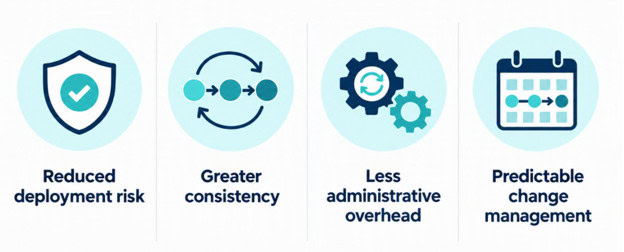
For businesses managing large or distributed device environments, this feature offers several practical benefits:
Reduced deployment risk. Smaller initial rollouts provide an opportunity to identify compatibility issues or unexpected behavior before expanding to more devices.
Greater consistency. Reusable deployment plans help IT teams follow established rollout procedures instead of rebuilding assignments and schedules for every deployment.
Less administrative overhead. Automated progression through deployment rings reduces the need to manually adjust group assignments throughout a rollout.
More predictable change management. Administrators gain greater control over when applications and policies reach different groups, making it easier to coordinate deployments with business operations.
Ultimately, the goal is to make application and policy management more deliberate, repeatable, and manageable.
Making More of Microsoft Intune
Features like Deployment Plans reinforce the value of having a well-structured Intune environment. But the technology itself is only part of the equation.
Effective device management also depends on thoughtful policy design, properly organized device groups, clear deployment procedures, and an understanding of how changes affect users.


Andrew Reade
Andrew is our Digital Marketing Manager and oversees web-based marketing strategies and content creation for the organization. As a marketing veteran, Andrew has worked with organizations of all sizes in a diverse group of industries, from Risk Management to Transportation. Joining the organization in 2021, Andrew is based in Mobile Mentor’s Nashville, TN office.