

Microsoft is bringing in-context Copilot assistance to OneDrive on iOS, making it easier for employees to understand, recap, and work with PDF documents from their mobile devices.
Reviewing a lengthy PDF on a mobile device can be time-consuming, especially when employees need to find specific information, understand unfamiliar terminology, or translate content while away from their desks.
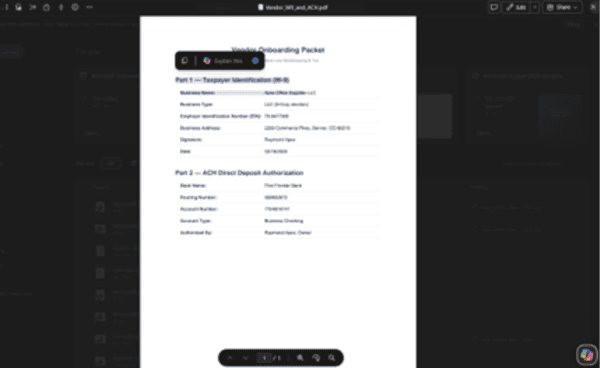
A new Microsoft OneDrive feature is making that process easier by bringing the Copilot context menu to iOS. Employees can now select text directly within a PDF and ask Copilot to explain it, summarize it, translate it, or answer a custom question about the selected content.
The experience builds on functionality already generally available in OneDrive for desktop, extending the same convenient, in-context assistance to mobile users.
How It Works
Using Copilot in OneDrive for iOS is straightforward. When viewing a PDF, employees can:
- 1Open a PDF in the OneDrive iOS app.
- 2Select the text they want to better understand or work with.
- 3Tap Ask Copilot in the context menu.
- 4Choose an action, such as explaining, summarizing, or translating the selected text, or enter a custom question.
Rather than copying text into another application or manually searching for answers, employees can get assistance directly within the document they’re reviewing.
How This Benefits Your Business
Bringing Copilot into the mobile PDF experience gives employees another practical way to use AI throughout their workday.
Faster document reviews: Employees can quickly outline sections of lengthy documents, helping them identify important information without reading every word.
Better understanding: Copilot can explain unfamiliar language, technical terminology, or complex passages, making information more accessible across teams and roles.
Easier multilingual communication: Employees can translate selected passages directly within a PDF, reducing friction when working with international colleagues, customers, or documentation.
Greater mobile productivity: Whether reviewing a contract between meetings, checking a technical document on the road, or catching up on a report away from the office, employees can access Copilot assistance wherever they work.
Making Copilot More Useful Across Your Business
Features like this demonstrate how Microsoft is continuing to bring Copilot into the applications employees already use. The value comes from making AI assistance accessible within everyday workflows, rather than requiring employees to change how they work to take advantage of it.
However, as Copilot becomes more widely available across devices and applications, businesses also need to consider how employees use AI, what information they can access, and how sensitive data is protected.
Mobile access adds another layer to that conversation. Businesses should ensure their mobile device management, identity, and data protection policies account for how employees access and interact with business information outside the office.
At Mobile Mentor, we help businesses build the right foundation for Microsoft 365 and Copilot adoption. That includes securing devices, protecting organizational data, and helping employees get meaningful value from the tools available to them. Feel free to drop us a line below if you’d like to learn more.
Get in Touch With the Mobile Mentor Team to Learn More

Andrew Reade
Andrew is our Digital Marketing Manager and oversees web-based marketing strategies and content creation for the organization. As a marketing veteran, Andrew has worked with organizations of all sizes in a diverse group of industries, from Risk Management to Transportation. Joining the organization in 2021, Andrew is based in Mobile Mentor’s Nashville, TN office.