macbook managed by jamf migrating to intune

Migrating from Jamf to Intune

For years, Jamf has been the gold standard for managing Apple devices in the enterprise. It helped IT teams configure, secure, and support Macs, iPhones, and iPads at scale.

But the endpoint management landscape has changed.

Organizations increasingly want a single platform for Windows, macOS, iOS, Android, and security management. Instead of maintaining separate tools, many IT leaders are asking whether Microsoft Intune can simplify operations, reduce costs, and provide a more unified experience.

Migrating from Jamf to Intune is not just a tooling decision. It’s an opportunity to modernize Apple management, align identity and security, and consolidate endpoint management under one platform.

This guide covers how to migrate from Jamf to Intune, including coexistence strategies, policy migration, application deployment, and common pitfalls to avoid.

Start with strategy

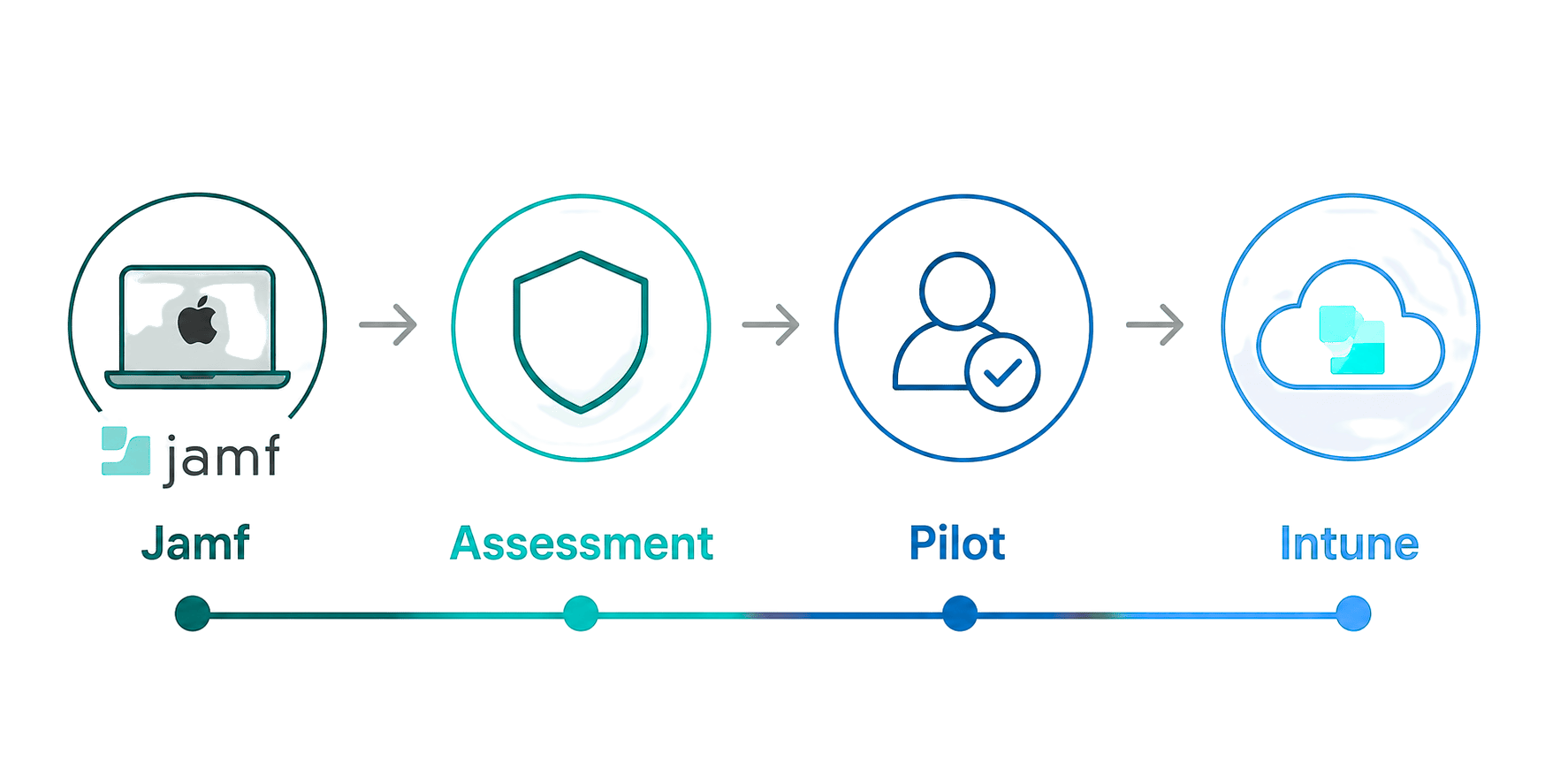
A successful Jamf to Intune migration starts with a clear understanding of why you are migrating.

Ask yourself:

  • Are you fully replacing Jamf or keeping it for advanced Apple workflows?

  • Are you standardizing endpoint management under Microsoft?

  • Which Apple management capabilities are critical to preserve?

  • Are there dependencies on Jamf Connect, custom scripts, or legacy configurations?

Too many organizations jump straight into technical migration without defining the end state.

That often creates unnecessary complexity or leaves teams recreating Jamf workflows that no longer make sense in a cloud-native environment.

Best practice: Define your target operating model first, then build the migration plan backward from there.
Step 1: Assess your current Jamf environment

Before moving anything, understand what exists today.

Most Jamf environments contain years of accumulated policies, scripts, and configurations, many of which are outdated or unused.

Start with an inventory of:

  • Configuration profiles

  • Applications and deployment workflows

  • Custom scripts and automations

  • Compliance and security settings

  • Smart groups and scoping

  • Enrollment methods

This is also the right time to identify redundant policies or legacy management practices.

Reality check: Don’t assume everything in Jamf should move to Intune. Migration is an opportunity to simplify.

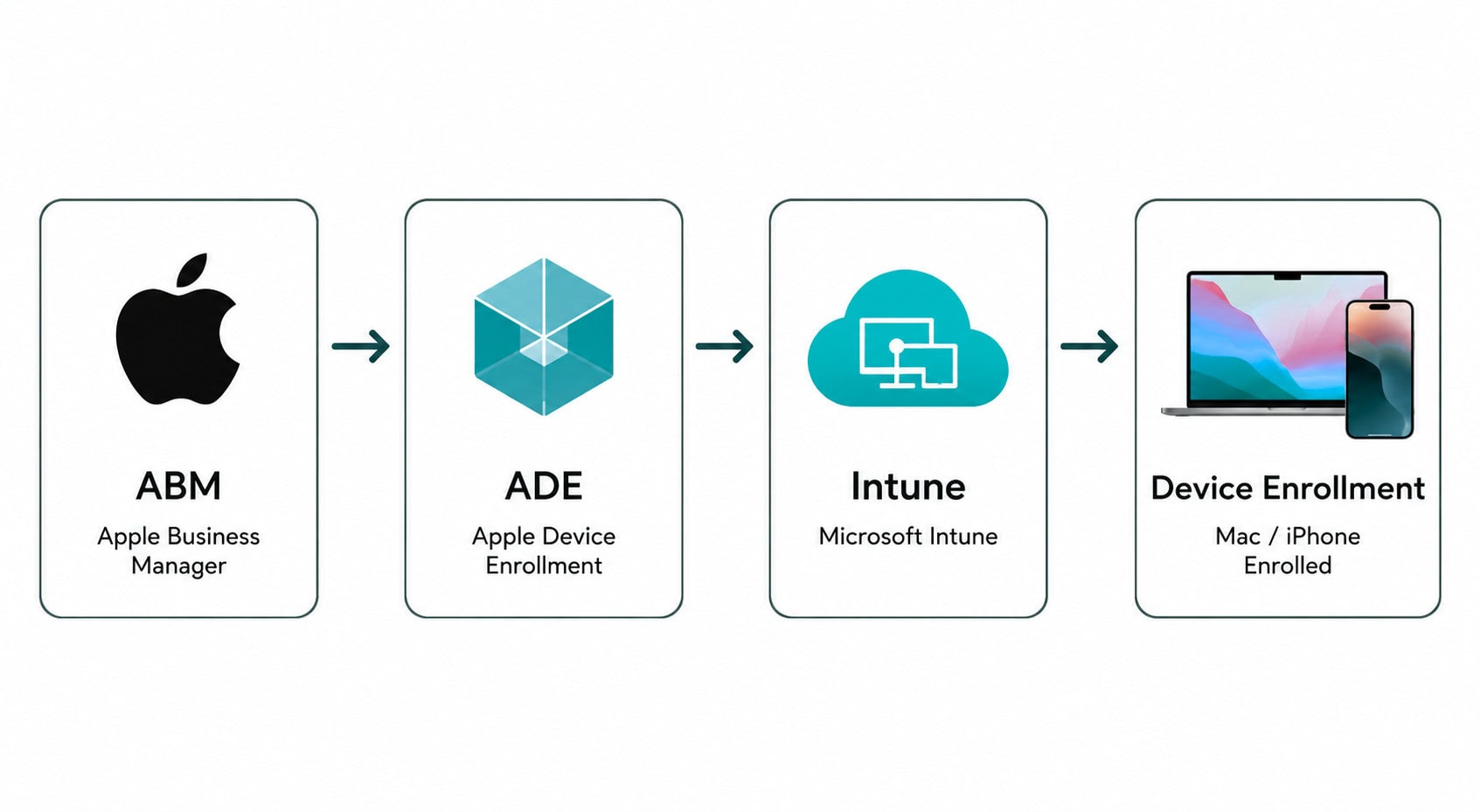
Step 2: Prepare Apple enrollment in Intune

Enrollment is one of the biggest differences between Jamf and Intune.

Before migrating devices, configure:

  • Apple Business Manager (ABM)

  • Automated Device Enrollment (ADE)

  • Apple MDM push certificates

  • Enrollment profiles

  • Compliance and conditional access policies

At a high level:

  1. Connect Apple Business Manager to Intune
  2. Configure Apple enrollment tokens
  3. Create device enrollment profiles
  4. Assign compliance and security baselines
  5. Test enrollment with pilot devices

This addresses common questions:

How do I connect Jamf to Intune?
→ During migration, coexistence is possible, but most organizations eventually transition fully to Intune.

Can Intune manage Macs and iPhones?
→ Yes. Intune supports macOS, iOS, and iPadOS management, though capabilities differ from Jamf in some advanced Apple-specific scenarios.

Can Jamf and Intune coexist?
→ Yes. Many organizations run both temporarily during migration.

Best practice: Pilot enrollment with a small user group before scaling.

Step 3: Map Jamf policies to Intune configuration profiles

This is where most Jamf to Intune migration work happens.

Jamf policies do not translate one-to-one into Intune.

Instead of lifting and shifting, you’ll need to redesign management using:

  • Configuration profiles

  • Compliance policies

  • Settings catalog

  • Shell scripts

  • Security baselines

Common migration examples:

Jamf → Intune equivalents

Configuration Profiles
→ Intune Configuration Profiles

Jamf Smart Groups
→ Dynamic Device Groups in Entra ID

Jamf Policies
→ Device Configuration + Scripts

Jamf Restrictions
→ Compliance + Configuration Policies

Jamf Patch Management
→ Intune App Management + Microsoft AutoUpdate

Reality check: Trying to recreate Jamf exactly inside Intune is where migrations slow down.

Different platform. Different management philosophy.

Step 4: Migrate applications from Jamf to Intune

Application migration is usually the most time-consuming part of the process.

Jamf environments often include:

  • Custom PKG deployments

  • Scripts tied to applications

  • Self Service app catalogs

  • Complex install logic

In Intune, apps are typically delivered through:

  • macOS PKG apps

  • Microsoft Enterprise SSO plug-ins

  • VPP apps via Apple Business Manager

  • Required or available deployments through Company Portal

How to migrate apps from Jamf to Intune

Typical process:

  1. Inventory existing applications
  2. Remove outdated or unused apps
  3. Repackage apps where needed
  4. Rebuild deployment logic
  5. Test installs with pilot users

This addresses common searches:

  • How to migrate applications from Jamf to Intune

  • Move Mac apps from Jamf to Intune

  • Jamf to Intune app migration

Best practice: Use migration as an opportunity to rationalize apps instead of moving technical debt.

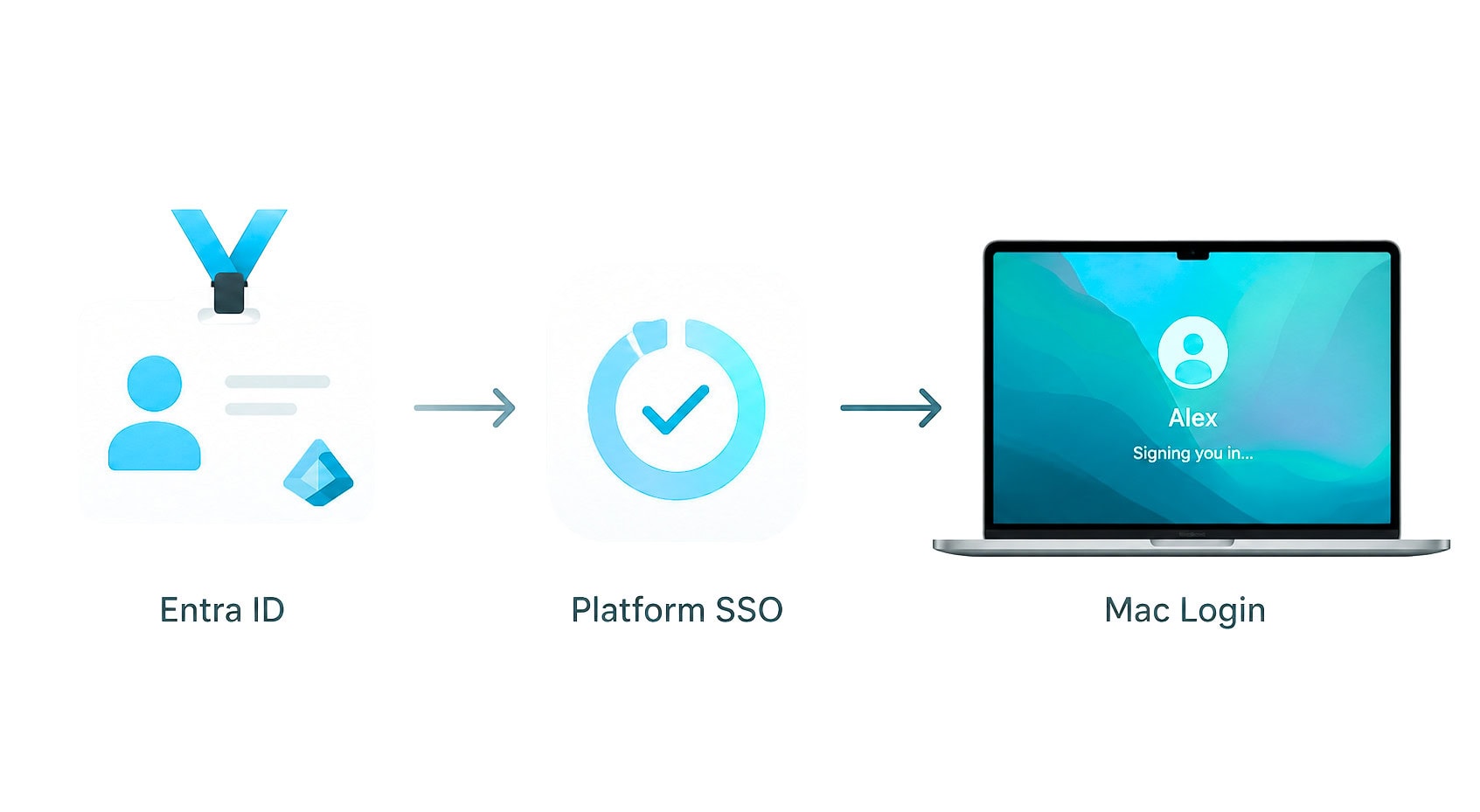
Step 5: Replace Jamf Connect with Platform SSO (if applicable)

Many organizations moving from Jamf are also evaluating alternatives to Jamf Connect.

For macOS identity, Microsoft’s Platform SSO can provide:

  • Password synchronization

  • Entra ID authentication

  • Simplified login experience

  • Reduced credential friction

However, not every Jamf Connect feature maps perfectly.

Before replacing it, validate:

  • Login workflows

  • Password reset experiences

  • Shared device requirements

  • Security and MFA expectations

Bottom line: Don’t assume Jamf Connect replacement is automatic. Validate the user experience carefully.

Step 6: Modernize security and compliance

Moving from Jamf to Intune is also a chance to align Apple management with a broader Zero Trust strategy.

This includes:

  • Conditional Access

  • Device compliance policies

  • FileVault key management

  • Endpoint security policies

  • Microsoft Defender integration

  • Identity-driven access controls

Instead of treating Macs as exceptions, Intune allows organizations to align Apple security with the same policies used for Windows and mobile devices.

Common questions:

Can Intune replace Jamf for Mac management?
→ For many organizations, yes. But highly specialized Apple environments may still require Jamf for advanced controls.

Is Intune better than Jamf for Apple devices?
→ It depends on priorities. Jamf often offers deeper Apple-specific functionality, while Intune simplifies management across platforms.

Step 7: Retire Jamf (when ready)

You do not need to rush this step.

Most organizations maintain coexistence while:

  • Policies are validated

  • Applications are migrated

  • Enrollment is stabilized

  • User experience issues are resolved

You are ready to decommission Jamf when:

  • Devices are fully enrolled in Intune

  • Security baselines are enforced

  • Applications are stable

  • Legacy scripts are retired

  • No critical workflows depend on Jamf

This becomes the final step in a Jamf to Intune migration journey.

Common Jamf to Intune migration issues

Here’s where most projects struggle:

  • 1

    Trying to recreate Jamf exactly in Intune. The platforms work differently. Redesign instead of replicate.

  • 2

    Overlooking Apple enrollment complexity.

    Apple Business Manager and ADE need to be configured correctly.

  • 3

    Ignoring application dependencies.

    Scripts and install workflows often require rework.

  • 4

    Skipping pilot groups.

    Avoid large-scale migrations without testing.

  • 5

    Underestimating user experience impacts.

    Login, authentication, and self-service experiences matter.

Best practices summary

A strong Jamf to Intune migration plan follows these principles:

  • 1

    Start with the end-state vision

  • 2

    Inventory and rationalize before migrating

  • 3

    Pilot before broad rollout

  • 4

    Redesign policies for cloud-native management

  • 5

    Modernize identity with Platform SSO where appropriate

  • 6

    Simplify app delivery and security

  • 7

    Use coexistence as a bridge, not a destination

Conclusion

The real question isn’t simply “how to migrate from Jamf to Intune.”

It’s whether you’re ready to simplify endpoint management, reduce operational complexity, and align Apple devices with a broader modern workplace strategy.

Organizations that get this right do more than replace one MDM with another.

They reduce management silos, modernize security, and create a better experience for both IT and end users.

That’s the outcome worth aiming for.

  • 1

    Start with the end-state vision

  • 2

    Inventory and rationalize before migrating

  • 3

    Pilot before broad rollout

  • 4

    Redesign policies for cloud-native management

  • 5

    Modernize identity with Platform SSO where appropriate

  • 6

    Simplify app delivery and security

  • 7

    Use coexistence as a bridge, not a destination

Discover How much value are your business is getting from your M365 licenses compared to your peers.

Discover:

  • Overlapping security tools can you retire

  • Business processes can you automate

  • IT functions can you modernize

Apply for the Capability & Capacity Assessment 

Andrew Reade

Andrew Reade

Andrew is our Digital Marketing Manager and oversees web-based marketing strategies and content creation for the organization. As a marketing veteran, Andrew has worked with organizations of all sizes in a diverse group of industries, from Risk Management to Transportation. Joining the organization in 2021, Andrew is based in Mobile Mentor’s Nashville, TN office.