
Recently, Meraki made a significant announcement: they are discontinuing their Mobile Device Management (MDM) solution. For many businesses, this news may feel unsettling, but it actually presents a unique opportunity. It’s time to explore why switching to Microsoft Intune could be your best move yet.
What Does This Mean for You?
Meraki has been a trusted name in the MDM space, especially for businesses that value integration with their networking products. However, their decision to phase out MDM indicates a shift in strategy. Here’s why this matters:
Why Choose Microsoft Intune?
As you consider your next steps, Microsoft Intune stands out as a strong contender for several compelling reasons:
-
All-in-One Management
-
- Unified Endpoint Management: Intune isn’t just for mobile devices; it’s a comprehensive solution for managing desktops and applications, all from one platform. This makes your life easier and your management processes more streamlined.
- Seamless Integration with Microsoft Products: If your business relies on Microsoft 365, Intune fits right in. This integration enhances user experiences and simplifies workflows.
-
Top-Notch Security
-
- Conditional Access: Intune’s conditional access policies ensure that only compliant devices gain entry to your corporate resources, keeping your data secure.
- Data Protection Features: With app protection policies and data loss prevention measures, Intune helps you safeguard sensitive information effortlessly.

-
Flexible and Remote Management
-
- Cloud-Based: Intune’s cloud-based architecture means you can manage devices from anywhere, perfect for today’s remote and hybrid work environments.
- Flexible Policies: Tailor your management policies to fit your unique business needs, ensuring compliance and security are always top of mind.
-
Scalability and Cost Efficiency
-
- Grow with Your Business: Intune is designed to scale as your business grows, making it suitable for businesses of all sizes.
- Cost-Effective Solution: If you’re already using Microsoft 365, transitioning to Intune can be a budget-friendly choice, as it’s often included in those subscriptions.
Transitioning to Intune
Making the switch from Meraki’s MDM to Intune will require some thoughtful planning. Here are a few steps to consider:
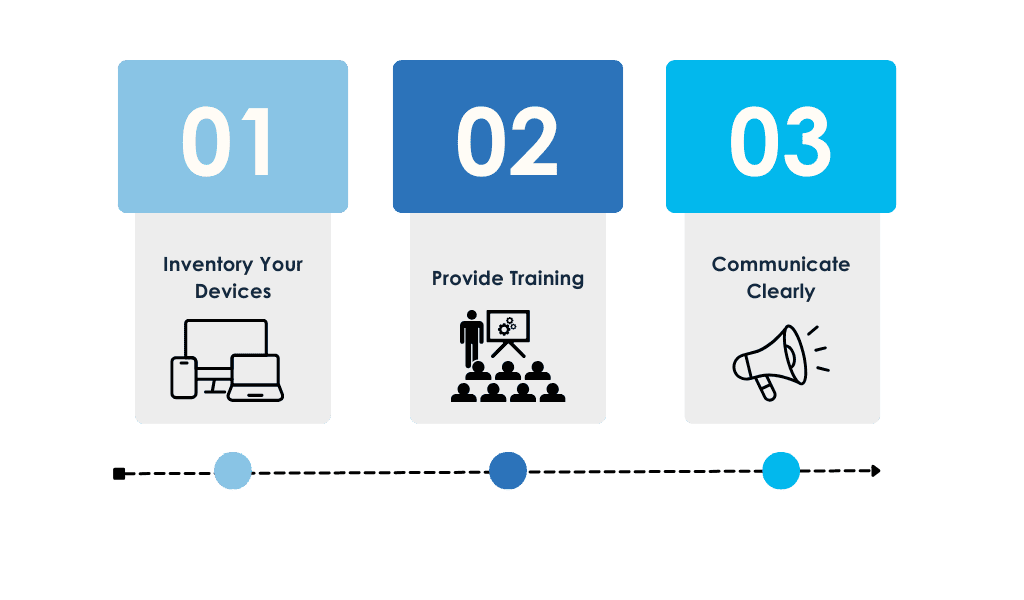
- 1
Inventory Your Devices: Take stock of all devices currently managed by Meraki and identify which ones will move to Intune.
- 2
Provide Training: Ensure your IT team is well-versed in Intune’s capabilities to facilitate a smooth transition.
- 3
Communicate Clearly: Keep your team informed about the changes and address any concerns they may have regarding device management.
Conclusion
Meraki’s discontinuation of their MDM solution is an opportunity. Transitioning to Microsoft Intune not only addresses immediate concerns but also sets your business up for future success. As the landscape continues to evolve, making the right choices in device management will be crucial for staying competitive.
Download the MDM Migration Guide
By reading the guide, you’ll learn:
-
How to plan and configure your new environment build.
-
Three ways to test and validate your migration before it begins.
-
How to segment and support users to ensure rapid adoption.

Andrew Reade
Andrew is our Digital Marketing Manager and oversees web-based marketing strategies and content creation for the organization. As a marketing veteran, Andrew has worked with organizations of all sizes in a diverse group of industries, from Risk Management to Transportation. Joining the organization in 2021, Andrew is based in Mobile Mentor’s Nashville, TN office.