
Explore the Latest in Endpoint Management & Security
Featured Insights
All Insights

Mobile Mentor Featured on the Cyber Pro Podcast
https://open.spotify.com/episode/4tJR4i1day8W8QJtWgH1IO/ Mobile Mentor Founder, Denis O’Shea, answers five questions in nine minutes pertaining to [...]

Privileged Access Workstations – What They Are and Why You Should Use Them
In every business, there are some users who need global administration privileges [...]

Mobile Mentor Featured on the Nice Podcast
Nice Podcast host, Dave Delaney, and Mobile Mentor Founder, Denis O’Shea, discuss cyber security, [...]

How to Use Role Based Access Controls (RBAC)
In a dynamic and modern hybrid workplace, a one-size-fits-all scenario for device [...]

Mobile Mentor Featured on Cyberwire Daily
Host and CyberWire Founder, Dave Bittner, speaks with Mobile Mentor Founder, Denis O’Shea, [...]
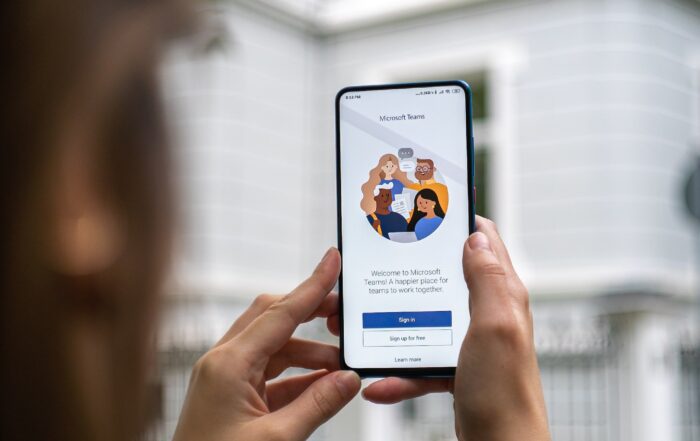
Performance and Troubleshooting Tips for Call Quality in Microsoft Teams
Many end-users of the tool still periodically struggle with call quality. This can be caused by several reasons, ranging from VPN usage to running bandwidth-heavy devices on the same connection. The good news is that there is usually a relatively simple solution to improve the quality of Teams calls.
Understanding the Essential Eight and Learning to Leverage the Methodology
The Essential Eight can be summarised as (you guessed it) 8 strategies designed to prevent and limit the impact of cyber-attacks in Australia. The eight strategies are grouped into three categories: actions to prevent attack, actions for limiting exposure if an attack occurs, and data recovery to avoid repercussions from ransomware.

How to Achieve Passwordless Authentication
Passwordless Authentication is the experience one has when securely accessing digital resources without the use of a password. Passwordless Authentication improves security by replacing weak passwords with biometrics, single sign-on, and multifactor authentication, enhancing identity verification.

Mobile Mentor Featured on the Unnoticed Entrepreneur Podcast
Mobile Mentor founder, Denis O’Shea, shares the story and evolution of Mobile Mentor with host [...]

Mobile Mentor Featured on the Lead to Greatness Podcast
Leading the Gen Z Workforce Mobile Mentor Founder, Denis O’Shea, speaks with Lead to [...]

Mobile Mentor Featured on School for Startups Radio
School for Startups Radio host, Jim Beach, talks with Mobile Mentor Founder, Denis O’Shea, [...]

Common Questions about Windows Autopilot, Answered.
Windows Autopilot is a tool designed to make a device’s lifecycle [...]

Mobile Mentor Featured on the Human Capital Innovations (HCI) Podcast
https://open.spotify.com/episode/7GISBak9LWAD7fqPtbOpxM In this episode of the Human Capital Innovations podcast, host, Dr. Jonathan H. [...]

Understanding Your Digital Identity and Taking Steps to Secure it with Passwordless Authentication
At its core, your digital identity can be defined as a structure of data connected to you as an individual. A digital identity can also apply to an entity such as a business, school, or hospital - and can contain information pertaining to a device.

Mobile Mentor Featured on the Looking Forward Podcast | Part 2
https://open.spotify.com/episode/5dqI9fDTHlUfQZavNkBG0N Gen Z, a Flat Business World, and Tons of Opportunity As modern work continues [...]

Mobile Mentor Featured on the Looking Forward Podcast | Part 1
Company/Phone Security and a Mobile Workforce Did you know that 15% of the global [...]
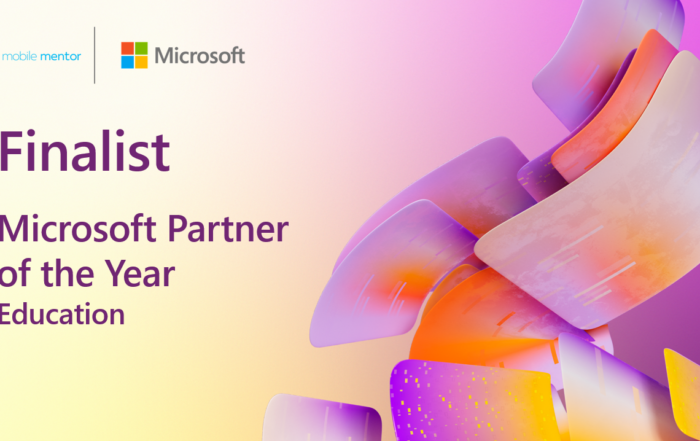
Mobile Mentor named Finalist in the 2022 Microsoft Education Partner of the Year Awards
The Mobile Mentor team is thrilled to announce that we’ve been [...]

Choosing Your Unified Endpoint Management Tool: MECM, SCCM, Intune
Over the years, Microsoft has released several iterations of technology aimed at streamlining [...]

Choosing the Right Phone Ownership Model for Your Business
It may not come as a surprise, but most workers treat their corporately owned phones differently than their corporately owned desktops and laptops. Our phones are never far away from us and we use them as cameras, books, gaming consoles, calculators, banking tools, etc.

Interview: An Examination of Security in the Endpoint Space and Beyond
In this interview, Mobile Mentor founder, Denis O’Shea, and MRK Technologies CTO, Chris Prewitt, [...]

Why It’s Time to Stop Using VPNs
For at least the past two decades, VPNs have been the most used method of accessing company files outside of the office. However, the once-popular technology has proven to be ineffective when it comes to modern work. In fact, more often than not, businesses are finding VPNs to be a critical liability and security vulnerability to their environment.

How the Habits of Gen Z Will Impact Workplaces in the Future
Gen Z brings new ideas, motivations, challenges, and strengths to the workplace. Predictably, their behaviors will impact the way work is perceived and carried out.
Mobile Mentor Featured on the Corporate CPR Podcast
How to Balance Cyber Security with Employee Experience with Denis O’Shea Host Jana Axline and [...]

How Windows 365 Differs from Azure Virtual Desktop
On the surface, Windows 365 and Azure Virtual Desktop look like a similar product. Both deliver an excellent virtual experience for end-users, but when you look closer, there are some glaring differences between the two tools. Microsoft created these two solutions for different use cases, and the differences address the scale of complexity that exists in one business versus another.


