Businessman sitting on the bench with laptop.

In April 2026, Microsoft announced one of the most significant changes to hybrid identity management in years: the transition from Microsoft Entra Connect Sync to Microsoft Entra Cloud Sync as the primary synchronization method for hybrid identity environments.

For businesses that rely on Active Directory synchronization to support hybrid work, this shift represents more than a technical update. It reflects Microsoft’s broader strategy toward simplified identity management, stronger security, and a more cloud-native operating model.

Beginning in July 2026, Microsoft will begin notifying customers of their assigned transition windows. While hybrid authentication experiences will remain unchanged, organizations should begin evaluating their identity synchronization strategies now.

If you are wondering about Entra ID Cloud Sync vs Connect Sync, what changes in 2026, and whether your business is ready, this guide breaks it all down.

What is Microsoft Entra Connect Sync?

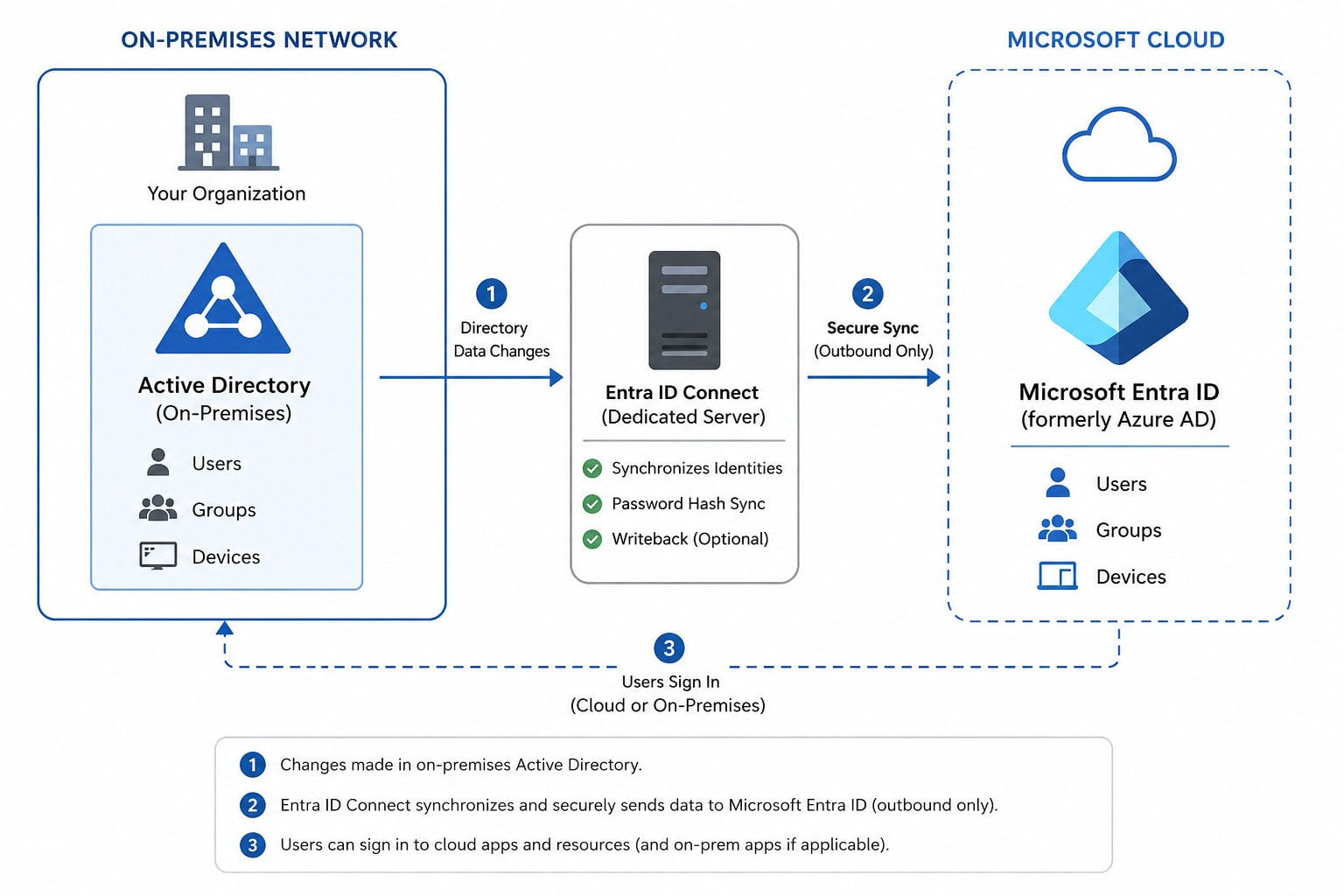
Microsoft Entra Connect Sync (formerly Azure AD Connect) has long served as the standard synchronization tool for organizations operating hybrid identity environments.

At its core, Entra ID Connect Sync synchronizes identities between on-premises Active Directory and Microsoft Entra ID, allowing users to access cloud resources using familiar credentials.

Historically, Entra Connect Sync enabled:

  • User and group synchronization

  • Password hash synchronization

  • Pass-through authentication

  • Hybrid identity enablement

  • Writeback capabilities

  • Hybrid authentication management

Too many organizations jump straight into technical migration without defining the end state.

That often creates unnecessary complexity or leaves teams recreating Jamf workflows that no longer make sense in a cloud-native environment.

Best practice: Define your target operating model first, then build the migration plan backward from there.

For years, it has been the foundation of hybrid identity strategies. However, maintaining Entra Connect requires on-premises infrastructure, servers, patching, health monitoring, and ongoing operational overhead.

As businesses modernize their environments and embrace Zero Trust architectures, Microsoft is steering customers toward a lighter, cloud-native alternative.
What Is Microsoft Entra Cloud Sync?

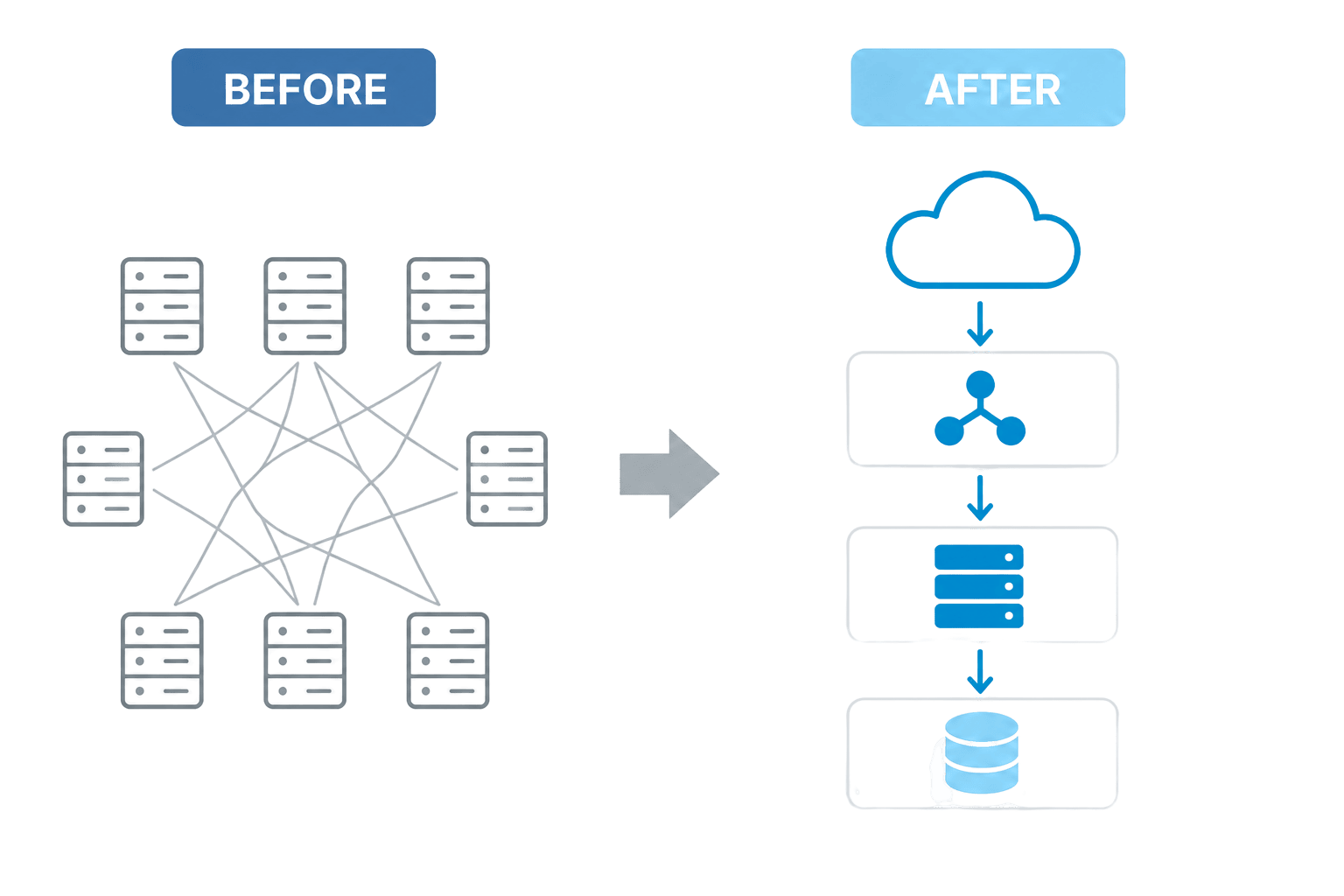
Microsoft Entra Cloud Sync is Microsoft’s cloud-native identity synchronization platform designed to reduce infrastructure complexity while improving resiliency and manageability.

Unlike traditional Connect Sync, Cloud Sync uses lightweight provisioning agents rather than requiring a full synchronization server footprint.

This means businesses can reduce:

  • On-premises server dependencies

  • Maintenance and patching requirements

  • Synchronization infrastructure complexity

  • Operational overhead

At the same time, Microsoft aims to improve:

  • Reliability

  • Identity resiliency

  • Day-to-day administration

  • Security posture aligned with Zero Trust principles

The result is a synchronization experience designed for modern hybrid identity environments.

Entra ID Cloud Sync vs Connect Sync: What’s the Difference?

When evaluating Entra ID Cloud Sync vs Connect Sync, the biggest distinction comes down to architecture.

Traditional Connect Sync relies on a dedicated synchronization engine running on-premises. Cloud Sync shifts much of that orchestration to Microsoft’s cloud, while using lightweight local agents only where necessary.

Entra ID Connect vs Cloud Sync Comparison

FeatureEntra Connect SyncEntra Cloud Sync
InfrastructureDedicated sync serverLightweight agents
MaintenanceRequires patching and upkeepReduced maintenance
ScalabilityMore infrastructure dependentCloud native scalability
Security ModelHybrid with server dependenciesZero Trust aligned
ManagementGreater operational complexitySimpler administration
ReliabilityServer dependentImproved resiliency

For many businesses, the conversation around Entra ID Connect vs Cloud Sync comes down to a simple question:

Do you want to continue managing identity synchronization infrastructure, or move toward a cloud-managed model?

Microsoft’s answer is increasingly clear.

Microsoft’s 2026 Transition to Entra Cloud Sync

Microsoft officially announced that it will begin transitioning customers from Microsoft Entra Connect Sync to Microsoft Entra Cloud Sync beginning in 2026.

This change is designed to:

  • Simplify hybrid identity management

  • Strengthen Zero Trust security

  • Reduce on-premises complexity

  • Improve reliability and resilience

  • Simplify day-to-day identity operations

According to Microsoft, July 2026 marks the beginning of customer notifications.

Businesses will receive updates through:

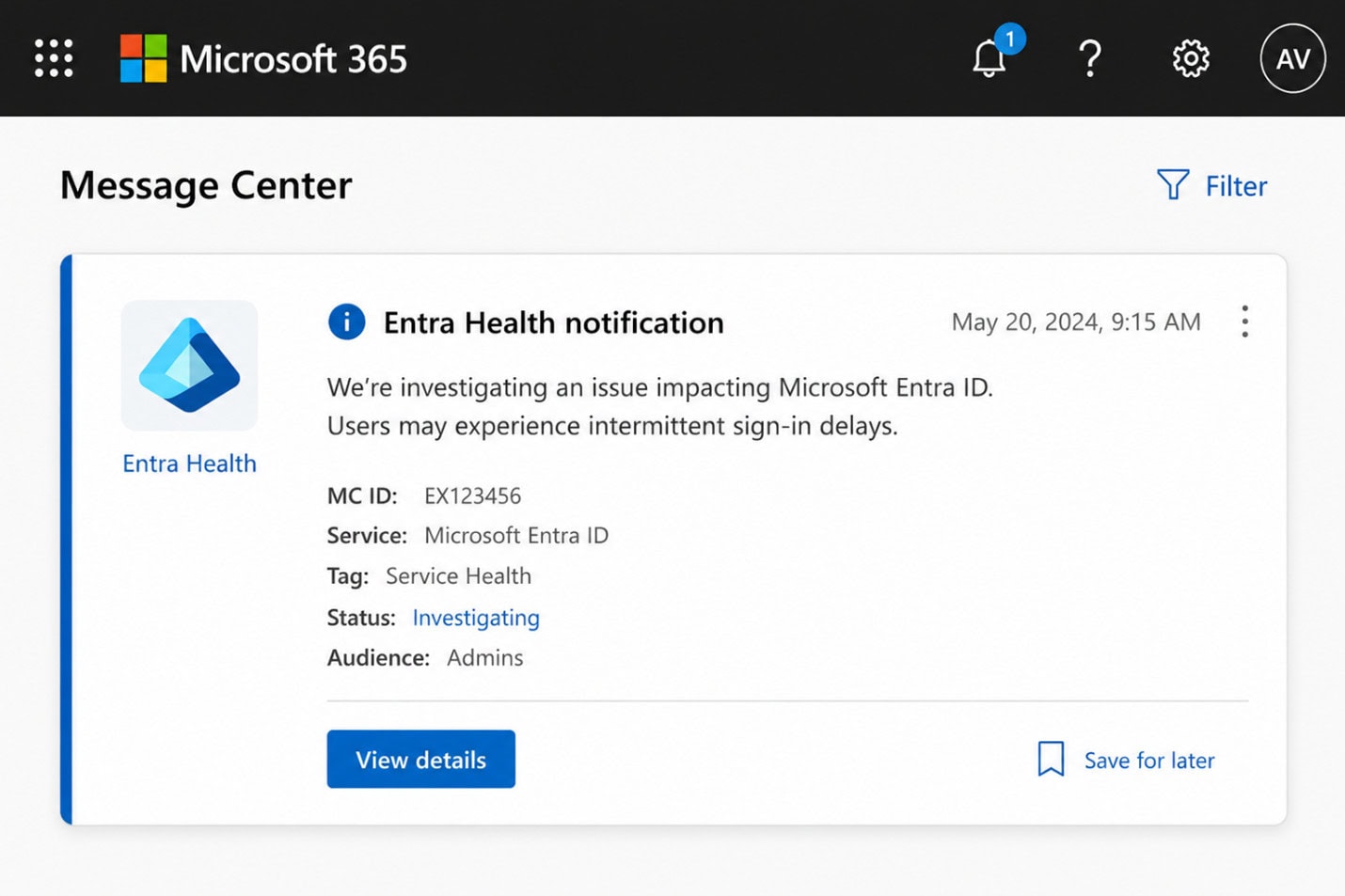
  • Microsoft 365 Message Center

  • Entra Connect Health

  • Targeted Microsoft communications

Importantly, this is not a one-size-fits-all migration.

Microsoft plans to roll out migrations in phases.

Phase 1: Businesses Already Supported by Cloud Sync

The first wave will focus on tenants where Entra ID Connect Cloud Sync already meets identity synchronization needs.

This generally includes organizations with:

  • Straightforward configurations
  • Standard synchronization requirements
  • Smaller or less complex directories
  • Existing support within Cloud Sync capabilities

If your environment is relatively simple, expect to hear from Microsoft sooner.

Phase 2: More Complex Environments

Organizations using advanced identity features or large directories may transition later.

Microsoft stated that customers with:

  • Advanced synchronization needs
  • Large Active Directory environments
  • Specialized configurations

will move only after Cloud Sync capabilities expand sufficiently.

This phased rollout minimizes disruption and gives organizations time to prepare.

What Changes During the Migration?

Once your business receives its assigned transition window, Microsoft will provide guidance and tooling to support the move.

During the migration period, organizations will be able to:

Review Existing Configuration

You’ll assess your current synchronization setup and determine readiness for Cloud Sync.

This includes reviewing:

  • Existing sync rules

  • Attribute mappings

  • Authentication dependencies

  • Directory complexity

Use Migration Tools

Microsoft plans to provide:

  • Transition tooling

  • Step-by-step documentation

  • Readiness assessments

  • Migration support guidance

Test Before Permanent Changes

Perhaps most importantly, organizations can validate synchronization in Cloud Sync before making permanent production changes.

This reduces migration risk and helps IT teams identify issues early.

What Is Not Changing?

One of the biggest concerns organizations have is authentication disruption.

Fortunately, Microsoft has clarified that hybrid authentication experiences remain unchanged.

After migration to Cloud Sync, organizations can continue using:

  • Password Hash Sync (PHS)

  • Pass-Through Authentication (PTA)

  • Existing hybrid authentication configurations

In practical terms, users should not experience disruptions in how they access cloud resources using on-premises credentials.

This is a major reason Microsoft expects the transition to be relatively low friction for supported tenants.

Entra ID Connect Sync and Zero Trust Security

Microsoft’s transition reflects a larger shift toward Zero Trust identity architecture.

Traditional synchronization infrastructure creates additional attack surfaces:

  • Servers to maintain

  • Services to secure

  • Credentials to protect

  • On-premises dependencies

By moving to a cloud-native synchronization model, organizations can reduce complexity while strengthening security controls.

In many ways, Entra ID Connect Sync modernization is not just about convenience — it is about risk reduction.

Cloud-native identity systems are often:

  • Easier to monitor

  • More resilient

  • Simpler to govern

  • Better aligned with modern identity security strategies

For businesses pursuing Zero Trust maturity, the transition represents an opportunity rather than just a mandatory change.

Entra ID Connect: How to Sync Attribute Initials

One question administrators frequently ask is: “Entra ID Connect how to sync attribute initials?”

In hybrid environments, the initials attribute in Active Directory may not always synchronize by default depending on configuration and attribute mappings.

To sync the initials attribute in Entra ID Connect Sync, administrators typically review:

  • 1

    Attribute synchronization rules in Entra Connect

  • 2

    Attribute filtering settings

  • 3

    Custom synchronization rules if required

  • 4

    Synchronization scope and precedence

Before modifying synchronization behavior, businesses should validate downstream application dependencies to ensure attribute changes do not impact provisioning, GAL visibility, or identity workflows.

As organizations transition to Cloud Sync, reviewing custom attribute requirements becomes especially important because synchronization approaches may differ depending on Microsoft’s supported capabilities at the time of migration.

This is a good opportunity to document any custom sync logic that may need validation during your transition window.

Should Organizations Move Early?

Technically, organizations do not need to proactively migrate before Microsoft initiates their transition window.

However, there are advantages to preparing early.

Organizations that assess readiness now can:

  • 1

    Understand Cloud Sync limitations and fit

  • 2

    Identify unsupported customizations

  • 3

    Document current synchronization rules

  • 4

    Reduce migration surprises

  • 5

    Modernize identity architecture strategically

Waiting until a formal transition notice arrives may compress timelines unnecessarily.

A proactive readiness assessment often leads to smoother migrations.

Preparing for the Future of Hybrid Identity

The move from Connect Sync to Cloud Sync signals Microsoft’s long-term direction for hybrid identity.

The question is no longer whether cloud-native identity synchronization will become the standard.

It already is.

For many organizations, the real question becomes:

Is your identity strategy ready for what comes next?

The good news is that Microsoft is approaching this transition gradually, with phased onboarding, readiness tooling, and migration support.

Still, the organizations that prepare now are likely to experience fewer surprises and faster outcomes.

If your team has not recently reviewed its synchronization architecture, now is the time to revisit it.

Because by the time Microsoft reaches your transition window, readiness will matter more than urgency.

Discover How much value are your business is getting from your M365 licenses compared to your peers.

Discover:

  • Overlapping security tools can you retire

  • Business processes can you automate

  • IT functions can you modernize

Apply for the Capability & Capacity Assessment 

Andrew Reade

Andrew Reade

Andrew is our Digital Marketing Manager and oversees web-based marketing strategies and content creation for the organization. As a marketing veteran, Andrew has worked with organizations of all sizes in a diverse group of industries, from Risk Management to Transportation. Joining the organization in 2021, Andrew is based in Mobile Mentor’s Nashville, TN office.