
Endpoint management has reached an inflection point. Apple’s management model has matured. Microsoft has significantly expanded its macOS capabilities. And many businesses are questioning how many tools they truly need to manage devices securely at scale.
Against that backdrop, recent changes at Jamf have created a natural moment for reassessment. Not out of concern, but out of pragmatism. When a core platform evolves, it’s reasonable for IT leaders to step back and ask a broader question: Does our current approach still align with where our security strategy, workforce, and technology stack are headed?
For a growing number of businesses, that reassessment is leading to Microsoft Intune, as a platform that has finally reached the level of maturity required to replace Jamf in many environments. And more importantly, the migration is no longer as disruptive as it once was.
By folding these advanced capabilities into E3 and E5, Microsoft is signaling something important: modern endpoint security and proactive management shouldn’t be optional, they should be the baseline.
Why This Is a Natural Time to Reevaluate Your Endpoint Strategy
Moments of platform change create space for strategic decisions. Not because something is broken, but because alignment matters.
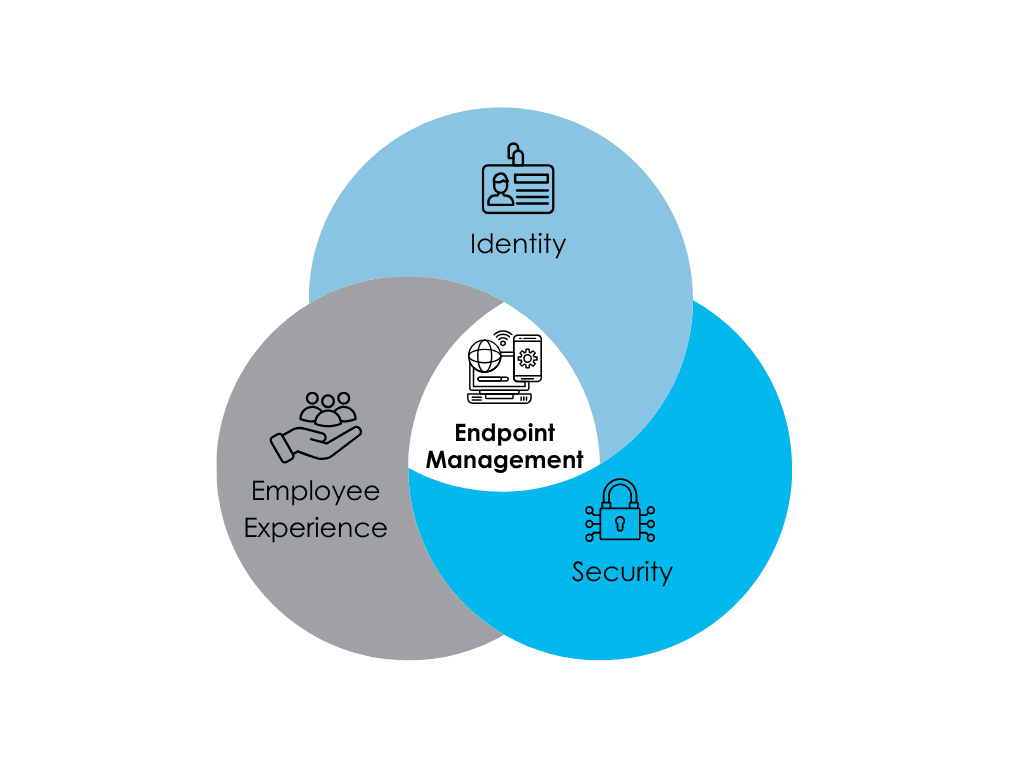
Endpoint management now sits at the center of:
For many teams, that reassessment now centers on a few practical considerations:
Jamf vs. Intune in 2026: Has Intune Reached Parity?
Short answer: in most enterprise environments, yes.
Historically, Jamf led in Apple-first depth. That reputation was well earned. But Microsoft has invested heavily in macOS management inside Intune.
Today, Intune delivers:
For businesses already standardized on Microsoft 365 E3 or E5, Intune is a foundational platform.
How to Migrate from Jamf to Intune (Step-by-Step Overview)
Many talk about why to switch. Fewer explain how.
Below is a practical, high-level Jamf to Intune migration framework we use with clients.
Step 1: Assess Your Current Jamf Environment
Before touching a device, document:
-
Policies and configuration profiles
-
Scripts and extensions
-
Smart groups and scoping logic
-
Enrollment methods (ADE, manual, etc.)
-
Security controls and compliance rules
Step 2: Map Jamf Policies to Intune Configurations
Not every Jamf setting needs a 1:1 equivalent.
Instead:
-
Align controls to Intune configuration profiles
-
Leverage compliance policies tied to Conditional Access
-
Use modern macOS management templates
-
Replace legacy scripting with declarative controls where possible
This is often where teams discover simplification opportunities.
Step 3: Prepare Identity and Security Integration
Intune is identity-driven.
Ensure:
-
Devices are properly enrolled in Microsoft Entra ID
-
Conditional Access policies are staged, not enforced immediately
-
Defender integration is validated
-
Compliance states are tested in reporting mode
Step 4: Pilot with a Controlled Device Group
Avoid tenant-wide switches.
Instead:
-
Select a low-impact group
-
Run Jamf and Intune in parallel (coexistence phase)
-
Validate enrollment, policies, app deployment
-
Gather user feedback
Parallel operation reduces risk dramatically.
Step 5: Phased Rollout and Jamf Decommissioning
Once validated:
-
Expand to department-level waves
-
Monitor compliance and device health
-
Retire Jamf policies gradually
-
Remove Jamf agents only after Intune control is confirmed
The key is staged execution, not abrupt cutovers.
Why Jamf Customers Are Reconsidering Their Stack
We’re seeing several consistent drivers behind Jamf to Intune migration conversations:
1. Platform Consolidation
Managing separate tools for Apple, Windows, identity, and security creates operational friction. Intune reduces that complexity by unifying endpoint management within the Microsoft ecosystem.
2. Identity‑Driven Security
Modern security is identity‑first. Intune’s tight coupling with Entra ID, Conditional Access, and device compliance enables more adaptive, zero‑trust‑aligned controls, all without bolt‑ons.
3. Cost and Licensing Efficiency
Many businesses already own Intune through Microsoft 365 E3 or E5. Continuing to pay for parallel tooling becomes harder to justify as Intune’s capabilities mature.
4. Apple’s Direction Aligns Well with Intune
Apple continues to push toward declarative management and reduced scripting. Intune’s roadmap closely mirrors this shift, narrowing historical feature gaps.
5. Future‑Proofing
A change in ownership is often a reminder to think long‑term. Intune benefits from Microsoft’s scale, security investment, and platform gravity, especially for businesses committed to M365.
Jamf vs. Intune: The Practical Reality Today
This is no longer a story of “Apple‑only vs everything else.” The decision is now about ecosystem fit.
Jamf still excels in highly specialized, Apple‑only environments that value deep modification. Intune excels where:
Modern Jamf to Intune Migrations: Complex, But No Longer Chaotic
One of the most common concerns we hear is: “Migration feels risky.” That concern is still valid, moving endpoint platforms is a meaningful operational change, not a checkbox exercise.
What has changed is the level of control available when the migration is done deliberately. Jamf to Intune transitions are now far more predictable because of:
With the right expertise and planning, migrations can be staged, controlled, and thoughtfully executed.

A Strategic Moment Move
Jamf’s acquisition isn’t a reason to panic, but it is a reason to reassess. Many businesses are using this moment to simplify, go modern, and align endpoint management with where their business is headed.
For teams already invested in Microsoft 365, Intune has reached a point where moving is catalyst for consolidating power, improving security posture, and reducing long‑term complexity.
Frequently Asked Questions About Jamf to Intune Migration