
Application control has always sounded simple: approved software runs. Everything else doesn’t.
In reality? Rolling that out across a live enterprise without breaking workflows has been the hard part.
Now, within Microsoft Intune, App Control for Business is generally available with granular targeting capabilities that finally make Managed Installer enterprise-ready. Instead of flipping the switch across your entire tenant, Intune now allows you to assign App Control policies to specific groups and device segments.
This provides a structural shift in how you design, test, and scale application control across Windows.
What’s Actually New?
Previously, Managed Installer settings were tenant-wide. That meant broad enforcement and limited flexibility. If you wanted to phase things in, you had to get creative, and sometimes uncomfortable.
Now, App Control policies can be targeted to:
Application control moves from a “big bang” rollout to something precise and intentional.
What Can You Control Now That You Couldn’t Before?
The biggest change is segmentation.
You’re no longer forced into an all-or-nothing deployment. You can now:
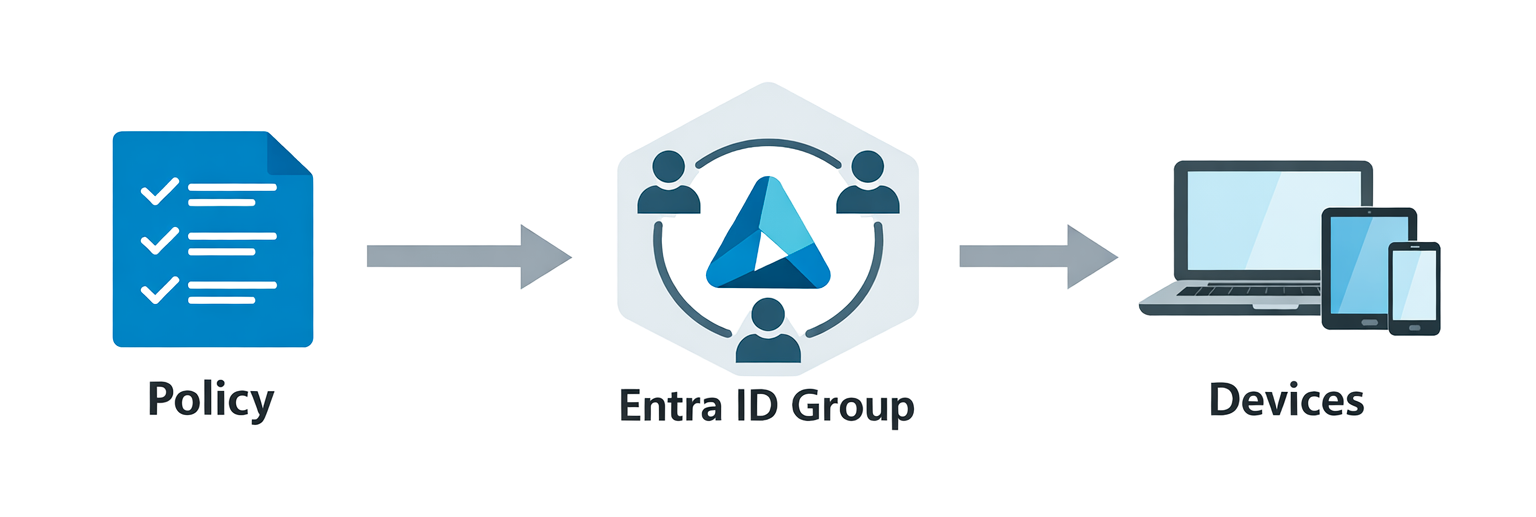
That flexibility dramatically reduces risk. And in security, lowering deployment risk often determines whether control gets adopted at all.
Can Policies Be Applied to Specific Users, Groups, or Devices?
Yes, and this is where it aligns with how modern endpoint management already works.
Through integration with tools like Microsoft Intune, you can target:
How Does This Integrate with Intune and Defender?
App Control works best as part of a broader security stack. It complements:
Here’s how the pieces fit:
That combination gets you much closer to a true Zero Trust execution model at the endpoint.
Will This Reduce Custom Scripts and Workarounds?
In many environments, yes.
Previously, we saw businesses rely on:
Granular targeting simplifies the architecture. Instead of engineering around limitations, you can design clean, scoped policies from the start.
What About Performance and User Experience?
Application control only succeeds if users barely notice it.
With targeted rollout, you can:
Security and productivity don’t have to be in tension. When you can deploy in phases, you reduce the likelihood of widespread disruption.
What’s the Migration Path from AppLocker or WDAC?
Many businesses are still running:
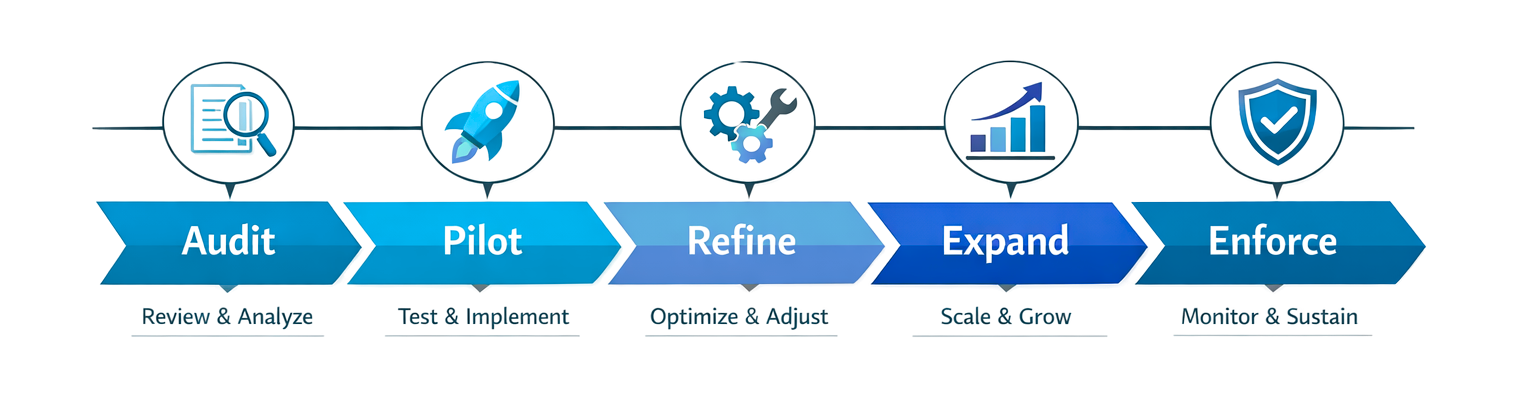
The new model allows you to modernize in a controlled way:
- 1
Start in audit mode
- 2
Target a pilot group
- 3
Refine allowlists and Managed Installer behavior
- 4
Expand in phases
- 5
Transition to enforcement across the estate
With the right sequencing, modernization becomes manageable.
Why This Matters Strategically
Application control remains one of the most effective protections against ransomware and unauthorized software execution.
The challenge has never been its value. It’s been safe, scalable deployment.
Granular targeting changes that equation.
You can now:
For businesses serious about Zero Trust at the device layer, this is a foundational capability that makes strong security achievable.


Andrew Reade
Andrew is our Digital Marketing Manager and oversees web-based marketing strategies and content creation for the organization. As a marketing veteran, Andrew has worked with organizations of all sizes in a diverse group of industries, from Risk Management to Transportation. Joining the organization in 2021, Andrew is based in Mobile Mentor’s Nashville, TN office.