
Cybersecurity is evolving, and Microsoft is taking a major step forward by including Security Copilot in the Microsoft 365 E5 subscription. This addition brings AI-powered security capabilities to many businesses at no extra cost, helping teams detect, investigate, and respond to threats with greater speed and confidence.
What Is Microsoft Security Copilot?
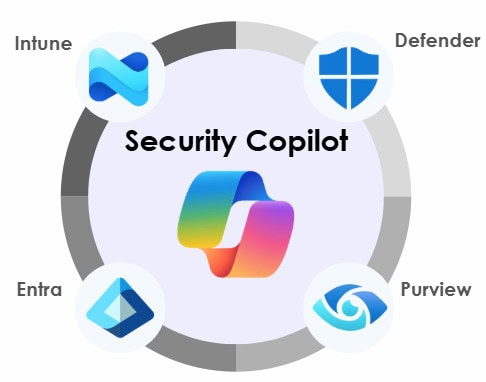
Security Copilot is Microsoft’s generative AI solution for cybersecurity. It integrates directly into the tools your security team already uses: Microsoft Defender, Microsoft Entra, Microsoft Intune, and Microsoft Purview. This integration delivers real-time insights, automates repetitive tasks, and accelerates incident response.
Instead of juggling multiple dashboards or writing complex queries, analysts can ask natural-language questions like “Summarize today’s phishing alerts” and receive actionable guidance instantly. This is what makes Microsoft Copilot for Security a game-changer for modern SOC teams.
What Does This Mean for Your Business?
Including Security Copilot in E5 is a strategic advantage that improves efficiency and reduces risk.
Before diving into the details, consider this: businesses using Copilot have reported measurable improvements in speed and efficiency.
Real-world Example: A global enterprise featured in Microsoft’s TEI study achieved a projected ROI of 99% to 348%, with a net present value of up to $1.8M over three years.
What Do You Get with Security Copilot?
Security Copilot is an ecosystem upgrade that combines embedded experiences with a dedicated portal for advanced investigations.
Capacity Details
Every Microsoft 365 E5 customer receives 400 Security Compute Units (SCUs) per month for every 1,000 paid user licenses, up to 10,000 SCUs monthly at no additional cost. SCUs measure the compute power needed to run Copilot workloads, whether embedded or standalone.
What Tools Can You Retire?
With Copilot security capabilities embedded across Microsoft’s ecosystem, many organizations can reduce reliance on:
How to Access and Enable Security Copilot
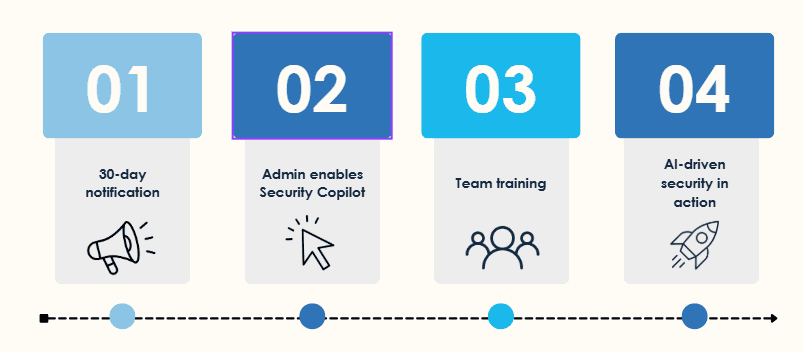
Activation isn’t instant. You’ll receive a 30-day advanced notification before Copilot goes live. Once notified:
How to Get Started
Getting started is simple, but planning is key:
Conclusion
The inclusion of Microsoft Security Copilot in the Microsoft 365 E5 subscription marks a turning point in enterprise security. By embedding AI into Defender, Intune, Entra, and Purview, Microsoft is enabling security teams to work smarter, respond faster, and reduce complexity without additional cost.

Andrew Reade
Andrew is our Digital Marketing Manager and oversees web-based marketing strategies and content creation for the organization. As a marketing veteran, Andrew has worked with organizations of all sizes in a diverse group of industries, from Risk Management to Transportation. Joining the organization in 2021, Andrew is based in Mobile Mentor’s Nashville, TN office.