
Many businesses adopted Trend Micro years ago for a simple reason: it worked. It provided strong endpoint protection, helped satisfy compliance requirements, and gave IT teams confidence that devices were secured.
But security priorities have changed.
Today, businesses are under pressure to consolidate tools, reduce licensing costs, improve visibility across identities and devices, and simplify operations for already stretched IT teams. As a result, many businesses are asking an important question:
Do we still need a third-party endpoint security platform when Microsoft Defender for Endpoint is already included in our Microsoft licensing?
For businesses invested in Microsoft 365, the answer is increasingly no.
Microsoft Defender for Endpoint has matured into a leading endpoint detection and response (EDR) platform, tightly integrated with Microsoft Intune, Entra ID, Conditional Access, Defender XDR, and the broader Microsoft Security ecosystem. Rather than managing disconnected tools, organizations can consolidate security into a single platform with centralized visibility and policy management.
However, migrating from Trend Micro to Defender is not as simple as uninstalling one agent and turning on another.
A successful migration requires planning, testing, and careful execution to avoid security gaps, performance issues, or policy conflicts.
In this guide, we’ll cover:
Why Businesses Are Leaving Trend Micro
Most migrations are driven by a combination of cost, operational efficiency, and modernization.
-
Consolidating Security Tools
Many businesses already pay for Microsoft security capabilities through Microsoft 365 E3, E5, Business Premium, or add-on licensing.
Yet they continue paying for overlapping endpoint security tools.
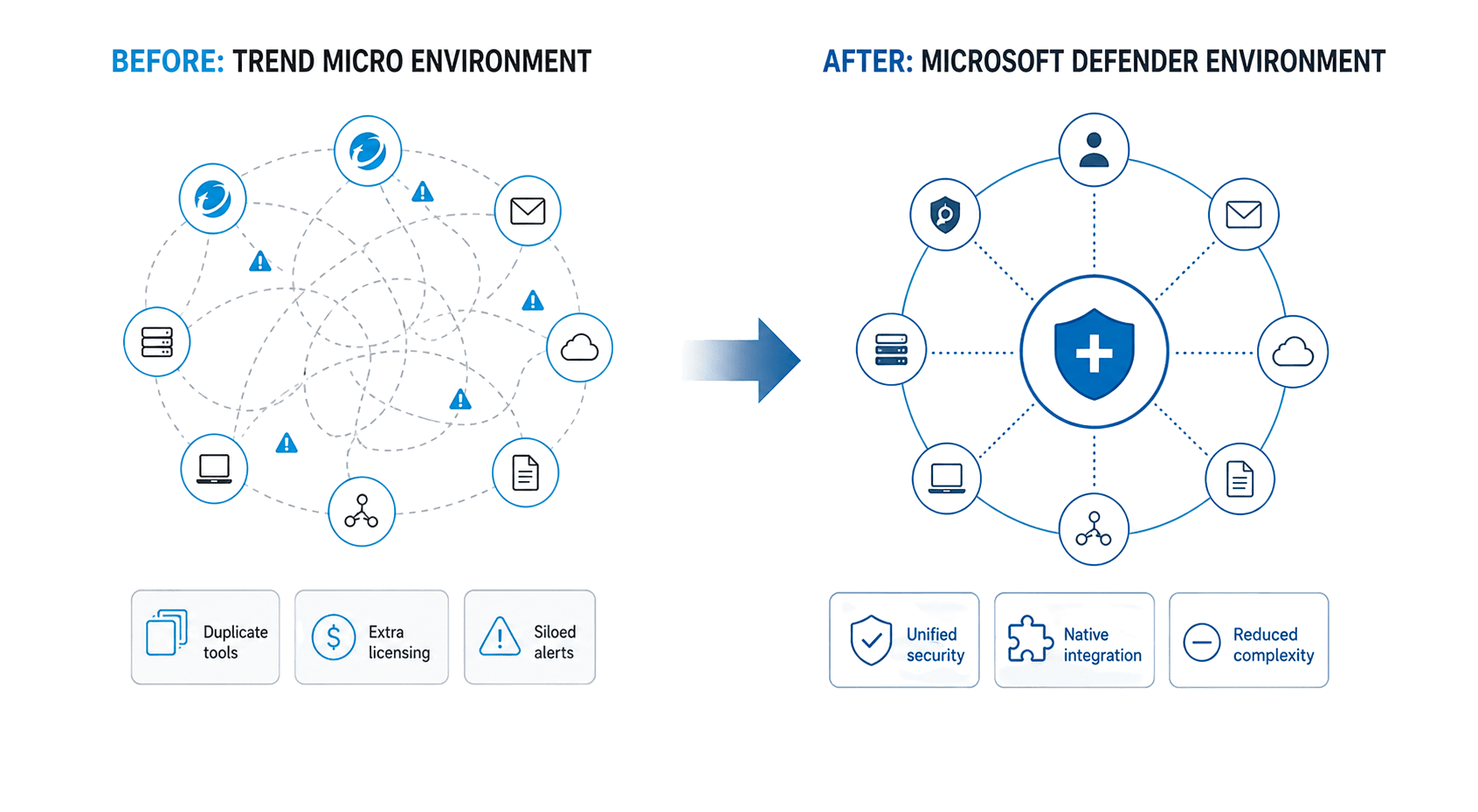
This creates unnecessary complexity:
- Multiple security consoles
- Duplicate alerts and reporting
- Separate policies and workflows
- Increased vendor management
By moving to Microsoft Defender, businesses can consolidate endpoint security into a platform already integrated with their existing Microsoft investments.
Instead of jumping between products, security teams gain visibility across:
- Devices
- Users and identities
- Applications
- Email threats
- Cloud activity
This unified experience reduces operational overhead while improving security posture.
-
Better Integration with Intune and Microsoft Security
Trend Micro often operates as a standalone security layer.
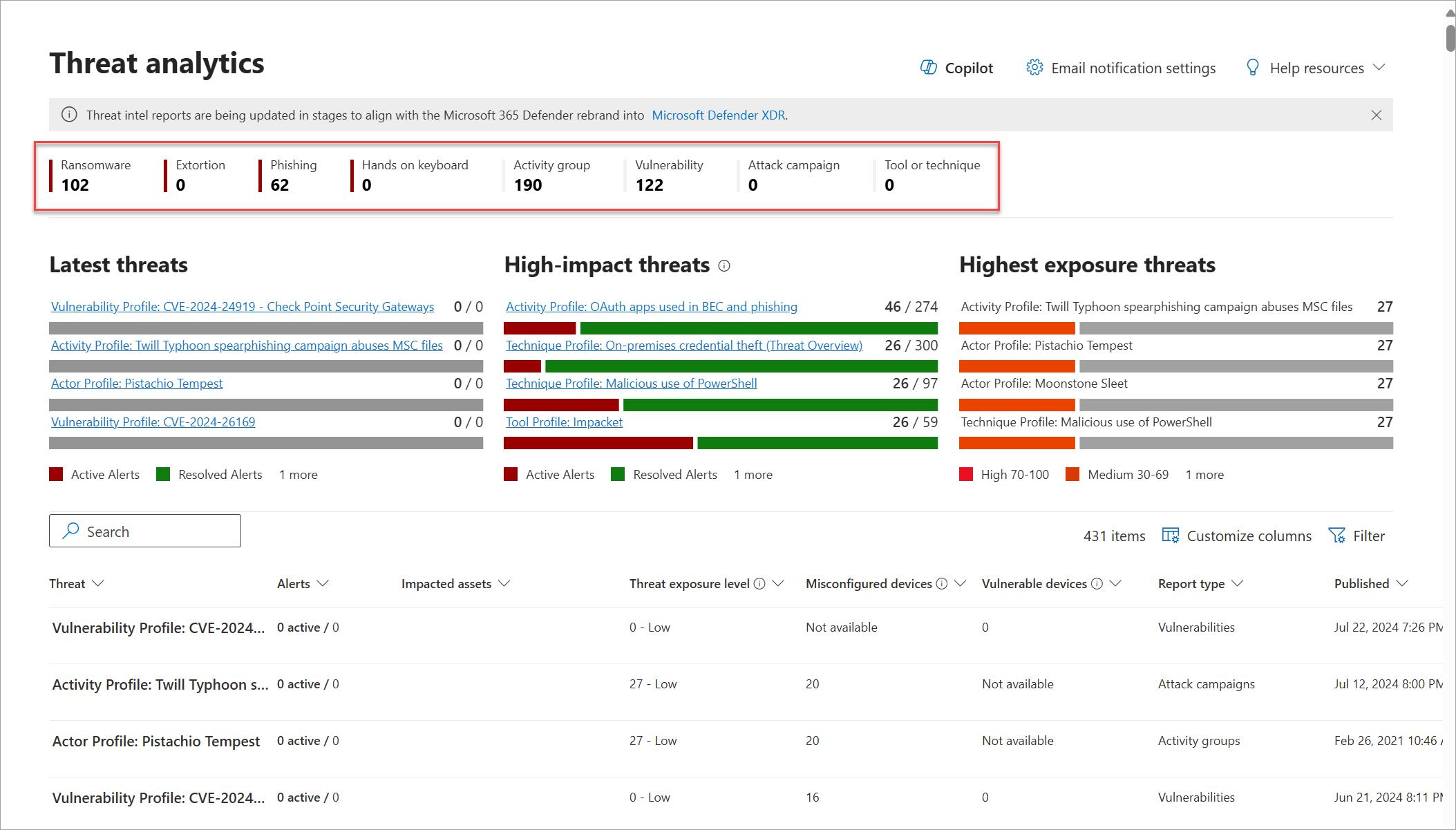
Microsoft Defender, by comparison, works natively across the Microsoft ecosystem.
This means tighter integration with:
- Microsoft Intune for device compliance and policy enforcement
- Microsoft Entra ID for identity-based access controls
- Conditional Access policies
- Defender XDR for correlated threat detection
- Microsoft Sentinel for advanced security operations
The result is a more connected security architecture that helps IT and security teams respond faster and make better-informed decisions.
-
Reducing Endpoint Management Complexity
Security tools become difficult to manage when they evolve independently of your endpoint management strategy.
Many businesses using Trend Micro also manage devices through Intune or another UEM platform. Running disconnected systems can introduce friction, especially when policies overlap.
For example:
- Antivirus exclusions may conflict
- Device performance can suffer from competing scans
- Compliance reporting becomes fragmented
- Troubleshooting becomes more difficult
Migrating to Defender allows businesses to align endpoint management and endpoint protection under one ecosystem.
-
Improving Licensing ROI
For many businesses, Defender for Endpoint is already available within their Microsoft licensing.
That raises an important question:
Why pay for overlapping endpoint security capabilities?
Migrating from Trend Micro can help businesses:
- Eliminate redundant licensing costs
- Simplify procurement and renewals
- Reduce vendor sprawl
- Maximize existing Microsoft investments
For organizations facing budget pressure, consolidation often becomes an easy business case.
Common Challenges When Migrating from Trend Micro to Defender
While the benefits are compelling, migrations can become complicated without a clear plan.
Here are the most common issues businesses encounter.
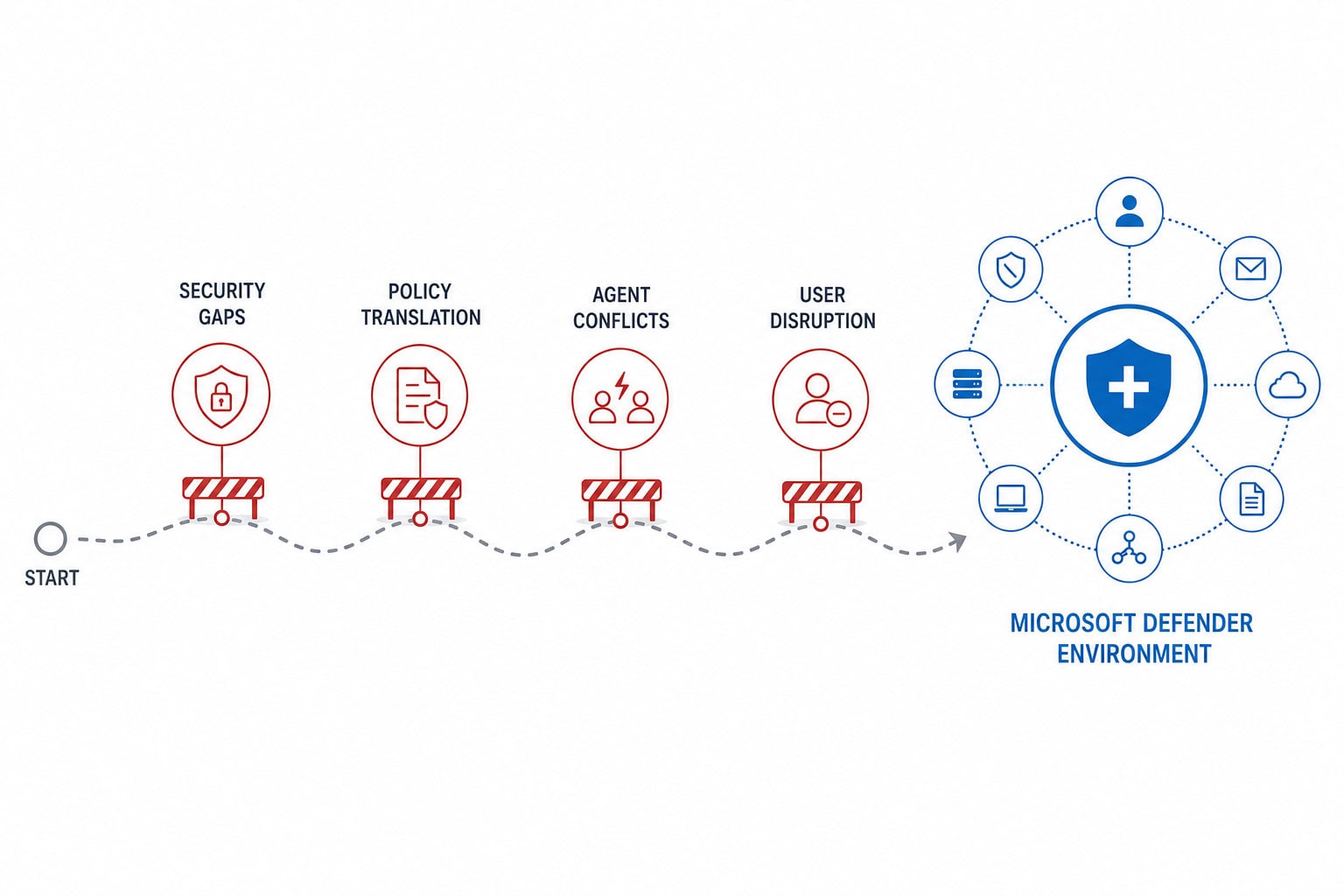
Security Gaps During Cutover
One of the biggest concerns is creating a window where endpoints are unprotected.
Improper sequencing can lead to devices that have:
A phased rollout strategy helps reduce risk and ensures continuous protection.
Policy Translation Is Rarely One-to-One
Trend Micro configurations do not map perfectly into Defender.
Businesses often need to rethink:
Simply recreating old policies may not deliver the best outcomes.
Migration presents an opportunity to modernize security settings and adopt Microsoft best practices.
Agent Conflicts and Performance Issues
Running multiple security agents simultaneously can create instability.
Depending on the Trend Micro deployment model, organizations may encounter:
Testing coexistence scenarios before broad deployment is critical.
Visibility and Change Management
Security migrations impact both IT teams and end users.
Without proper communication, businesses may experience:
A clear transition plan minimizes disruption.
A Proven Approach to Migrating from Trend Micro to Defender
The most successful migrations follow a phased methodology.
Step 1: Assess Your Current Environment
Before making changes, understand your existing Trend Micro deployment.
Key questions include:
- Which Trend Micro products are deployed?
- How are policies configured?
- What exclusions exist today?
- Which endpoints are in scope?
- Are there legacy devices requiring special treatment?
- What compliance requirements must be maintained?
This assessment helps identify migration risks before deployment begins.
Step 2: Prepare Microsoft Defender for Endpoint
Before removing Trend Micro, Defender must be fully configured.
This includes:
- Licensing validation
- Defender onboarding
- Security baselines
- Antivirus policies
- Attack Surface Reduction (ASR) rules
- Device compliance policies
- Endpoint detection and response settings
At this stage, Defender should be configured to coexist safely where required during testing.
Step 3: Pilot the Migration
Avoid business-wide cutovers.
Instead, begin with a controlled pilot group.
Choose users from different departments, device types, and risk profiles to validate:
- Device performance
- Application compatibility
- Security policies
- User experience
- Detection accuracy
Pilots uncover issues early and create confidence before broader rollout.
Step 4: Remove Trend Micro in Phases
Uninstalling Trend Micro requires careful orchestration.
Many businesses underestimate the complexity involved, particularly when tamper protection, legacy agents, or inconsistent deployment methods are involved.
A phased removal strategy helps ensure:
- Defender activates correctly
- Devices remain protected
- Policies apply successfully
- Visibility remains intact
Monitoring is essential during this phase.
Step 5: Optimize and Mature
Migration is only the beginning.
After rollout, organizations should optimize Defender to improve security outcomes.
This may include:
- Tuning alerts to reduce noise
- Adjusting exclusions
- Strengthening ASR policies
- Improving compliance reporting
- Integrating with broader Microsoft security tools
The goal is not simply replacing Trend Micro.
It’s building a more modern and manageable security strategy.
Lessons Learned from Real-World Migrations
Businesses that migrate successfully usually share a few things in common.
They don’t rush.
Security migrations require testing, validation, and phased execution.
They avoid lift-and-shift thinking.
Rebuilding old Trend Micro policies exactly as they existed often misses the opportunity to modernize security.
They focus on user experience.
Endpoint performance, notifications, and support readiness matter more than many teams expect.
They treat migration as a broader security transformation.
The greatest value comes from integrating Defender with identity, compliance, and endpoint management, not simply replacing antivirus.
Is It Time to Move from Trend Micro to Defender?
For many businesses, the move makes sense.
If you’re already invested in Microsoft 365, migrating from Trend Micro to Microsoft Defender for Endpoint can help reduce costs, simplify operations, improve visibility, and strengthen security integration.
But the success of the migration depends on how it’s executed.
A rushed rollout can create unnecessary risk. A well-planned migration can improve both security outcomes and operational efficiency.
The businesses seeing the strongest results treat migration as more than a technology swap. They use it as an opportunity to modernize endpoint security and better align with the Microsoft ecosystem.
Frequently Asked Questions About Migrating from Trend Micro to Microsoft Defender
LEARN MORE ABOUT MIGRATING FROM TREND MICRO TO DEFENDER FOR ENDPOINT

Andrew Reade
Andrew is our Digital Marketing Manager and oversees web-based marketing strategies and content creation for the organization. As a marketing veteran, Andrew has worked with organizations of all sizes in a diverse group of industries, from Risk Management to Transportation. Joining the organization in 2021, Andrew is based in Mobile Mentor’s Nashville, TN office.