
Manage Windows with Intune
Intune for Windows is a configuration service that enables you to manage Windows devices in Intune.
- We analyze your GPOs and current build process, and then design the security policies, management profiles and compliance rules for cloud native management with Intune.
- We set-up Autopilot to automate provisioning, create assignment groups, map legacy drives and printers, and sync OneDrive content for an automated build process.
- We automate Windows OS updates and firmware/driver updates with Autopatch, Bitlocker, LAPS, browser extension and configure Endpoint Analytics for compliance.
Intune transforms the way Windows machines are provisioned, updated and managed
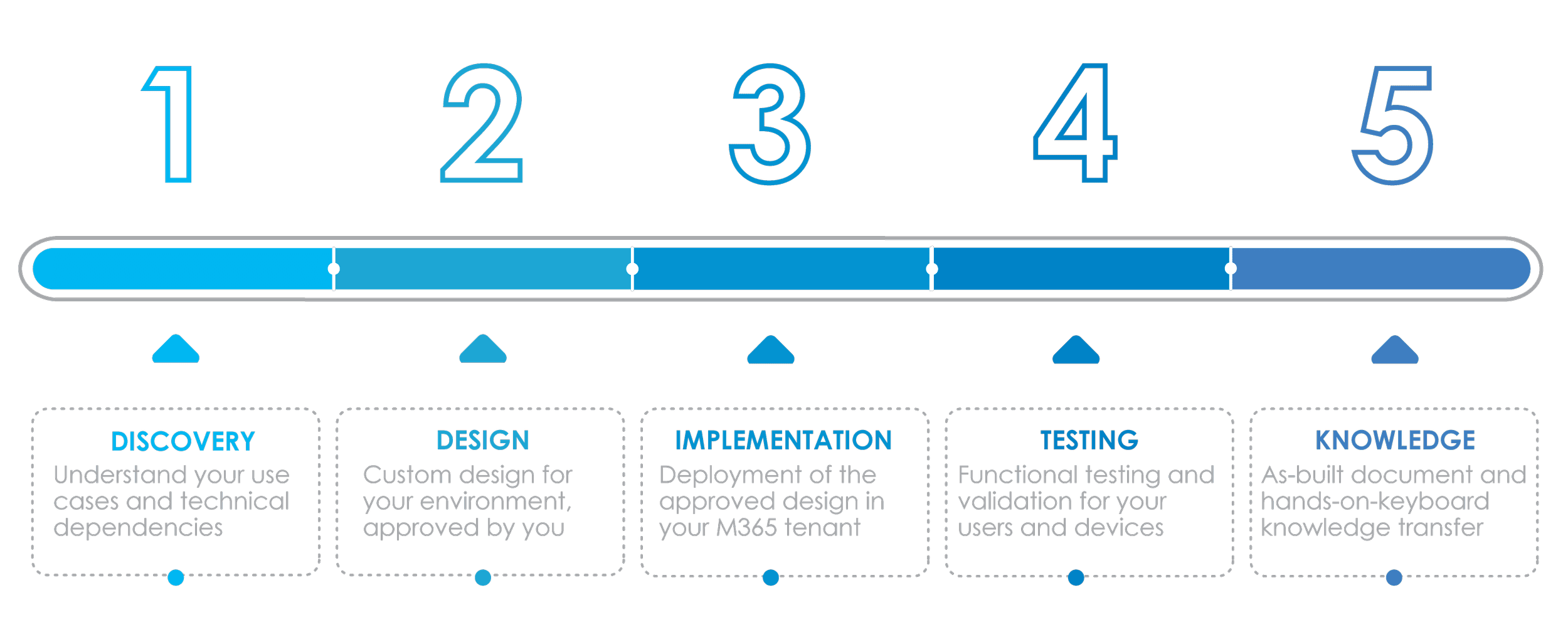
Our Proven 5-Step Process:
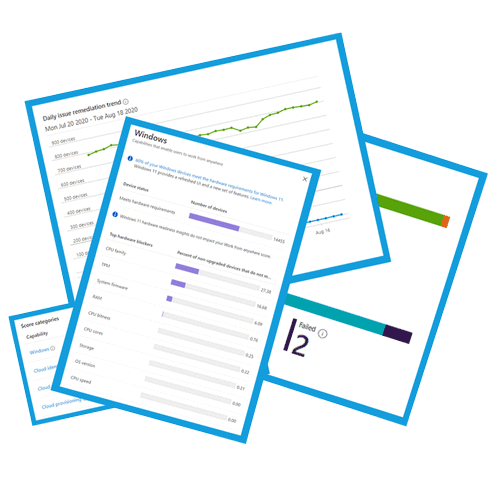
Get increased visibility and actionable insights
With Intune for Windows, you’ll be able to take advantage of Endpoint Analytics. Get insights on compliant devices, scores on device health, and actions to take. Get the visibility you’ve always wanted for all your devices in a single pane of glass.
Intune for Windows brings modern device management capabilities
Every aspect of the device lifecycle can be performed remotely, from the initial out-of-box experience to the recycle bin at end-of-life. System Admins never need to see or touch a Windows device that is managed by Intune.

Learn more about the Journey to Modern Endpoint Management
Hear from Denis O’Shea, Founder of Mobile Mentor, discuss the Journey of Modern Endpoint Management as he walks you through the steps and considerations along the way. As well as how these new capabilities enable your company to reduce costs, increase security, and improve your employee experience.
$4,900
Certificate Authority Integration Add-On
Provision certificates to your Intune managed devices with
your on-premises Microsoft Certificate Authority Server.
Allowing your Certificate Authorify to provision certificates
to Intune managed devices (via Intune Certificate Connector,
SCEP & Azure AD ApProxy, or cloud Certificate Authority)
enables you to maintain and elevate your security posture for
connecting devices.




$7,900
Application Patching Add-On
Automate the patching process for Windows applications by integrating a 3rd party patching tool e.g. PatchMyPC, or Microsoft Enterprise Application Manager.
This service includes analysis, technical design, implementation in production, testing, as-built documentation and knowledge transfer.
$4,900
Device-based Conditional Access Policies Add-On
Design and implementation of Conditional Access policies based on the security posture of endpoints accessing the environment
This add-on service includes analysis of current access methods and technologies (e.g. VPN, VDI), policy design and impact assessment, implementation, testing and knowledge transfer.


$4,900
Migration / Rollout Planning Add-On
Identify the technical dependencies, critical use cases and hardware to plan the optimum sequence of the rollout.
This service is based on a series of workshops and results in a project plan, with best practice guidance for change management and end user communications.

Case Study
Learn more about Intune for Windows
Hear Kevin King, Principal Enterprise Platform Architect of Vanderbilt University Medical Center discuss competitive advantages of Intune.
GET IN TOUCH
Contact a Mobile Mentor expert today
Mobile Mentor is Microsoft’s 2021 Partner of the Year for Endpoint Management. Our engineers are certified by Microsoft, Apple and Google.
Complete our contact form below and one of our consultants will get back to you within 24 hours.
Featured

Microsoft and Mobile Mentor Help Ballad Health Increase Recurring Copilot Use Fivefold
Ballad Health recognized the potential of Microsoft 365 Copilot to improve productivity across its healthcare organization. But with more than 3,000 people gaining access to Copilot, the organization needed a scalable way to build confidence, demonstrate practical use cases, and turn initial interest in AI into consistent, everyday use. Ballad Health partnered with Mobile Mentor to deliver a structured Copilot adoption and training program designed to accelerate adoption across its workforce.

Check Your Data Security Readiness for AI in 15 Minutes
How confident are you that your employees can't find sensitive company information with AI? Not somewhat confident. Not reasonably confident. Completely confident. Because if you're not sure, there's a simple test you can run in the next 15 minutes that might tell you more about your business’ AI readiness than months of meetings, strategy documents, and governance discussions.

Identity Is the New Security Perimeter: Preparing for an AI Workforce
Today's digital workplace includes employees, contractors, devices, SaaS applications, automated workflows, and increasingly, AI agents. As businesses embrace Microsoft Copilot, autonomous agents, and AI-powered workflows, identity is rapidly becoming the control plane for the entire enterprise.


