
Explore the Latest in Endpoint Management & Security
Featured Insights

Mapping Group Policy Objects (GPOs) in Microsoft Intune
Mapping Group Policy Objects (GPOs) to Microsoft Intune is essential for businesses transitioning to modern management for Windows devices. This article will break down the process, highlighting common scenarios, potential challenges, and the steps needed to import, assess, and configure GPO settings in Intune.

Key Considerations for a Smooth Transition from Jamf to Intune
The introduction of platform Single Sign-On (SSO) for macOS devices marks a significant advancement in device management for businesses using Microsoft Intune. The development is crucial and may influence many to migrate from JAMF to JAMF to Intune.

Adapting to Change: Navigating JAMF’s 2025 End to Conditional Access Support
In January 2025, businesses using JAMF Pro alongside Microsoft Entra ID for Conditional Access will encounter a significant change that could impact their entire device management strategy. JAMF will discontinue its support for conditional access, a move driven by Microsoft's transition from the Partner Device Management Legacy API to the new Partner Compliance Management API.
All Insights

Rethinking VDI: Why Businesses Are Shifting from Horizon to Microsoft
Horizon’s journey (from VMware to Broadcom, and now Omnissa) has prompted many IT leaders to pause and reassess. At the same time, Microsoft’s cloud-first desktop platforms, Entra ID and Windows 365 (W365), have matured quickly.

Windows 365 Reserve: Turning IT Contingency Planning Into a Competitive Advantage
Windows 365 Reserve is Microsoft’s newest Cloud PC offering designed to keep work flowing when your team’s primary devices aren’t available. Think of it as a ready-to-go virtual fallback workspace that users can spin up, instantly and securely, right from their phone, tablet, or loaner device.
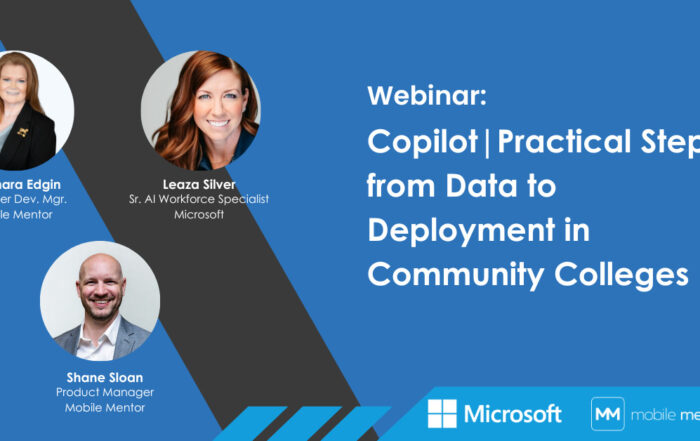
On-Demand Webinar: Copilot in Community Colleges – From Data to Deployment Webinar
The conversation focuses on real-world lessons from supporting organizations through AI rollouts, with particular relevance for education environments where data sensitivity, compliance, and varied user needs raise the stakes.
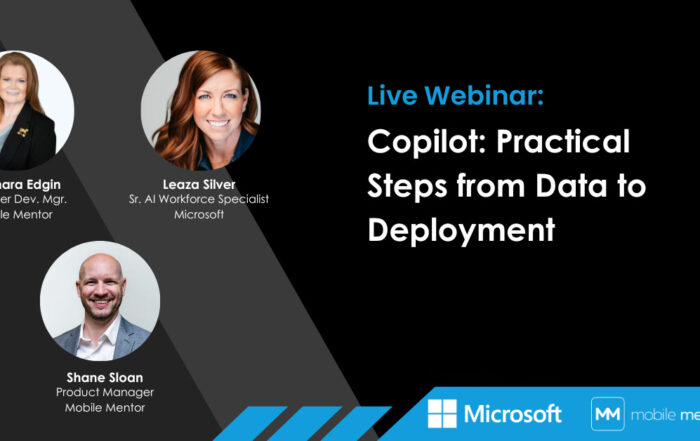
On-Demand Webinar: Copilot in K-12 – From Data to Deployment Webinar
Drawing on real-world experience supporting Copilot rollouts, the discussion focuses on what it really takes to make AI work inside an organization — especially in education environments where data sensitivity, compliance, and diverse user needs add complexity.

Meraki’s MDM Solution Discontinuation: A Strategic Push Towards Microsoft Intune
If you’re exploring co-management, it’s worth stepping back and asking not just “what help do we need today, but what do we expect this partnership to leave us with tomorrow?”

Choosing the Right Co-Management Model: When Mentoring Matters
If you’re exploring co-management, it’s worth stepping back and asking not just “what help do we need today, but what do we expect this partnership to leave us with tomorrow?”

Denis O’Shea of Mobile Mentor speaks with Scott Kinka of The Bridge Podcast
Mobile Mentor’s CEO Denis O’Shea breaks down why Intune, identity, security, and Copilot readiness are driving huge demand—especially in regulated industries. From uncovering 33,000 overshared files to building a 12‑month Copilot program, the team is helping orgs modernize endpoints and deploy AI safely. A decade of Intune expertise + Microsoft partnership = real impact for mid‑market clients.

The Guide to Co-Managed IT
Co managed IT has become a practical middle ground for businesses that want more capability and resilience without fully outsourcing IT. When done well, co managed IT services strengthen internal teams, improve outcomes, and create a more adaptive technology environment.

Federating Apple IDs: When, Why, and How
Federating Apple IDs offers a smart solution to simplify device management, keep sensitive information secure, and maintain control over your Apple ecosystem. Let’s dive into when it makes sense to federate Apple IDs, the benefits it brings, and how you can get started.

Mobile Mentor Featured on The Wireless Way with Chris Whitaker
In this episode of The Wireless Way, host Chris Whitaker had the pleasure of unpacking these insights with Denis O'Shea, founder of Mobile Mentor, a driving force behind pioneering modern endpoint management and security strategies.

The Value of a Microsoft Intune Consultant
With more than 10,000 configurable settings, deep integration across Microsoft 365, Entra, Defender, and Windows, and a steady stream of new capabilities, Intune is a foundational platform for modern work. And that’s exactly why many IT teams feel overwhelmed trying to implement it on their own.

Finding the Right MSP in 2026
The MSP you choose in 2026 will shape far more than day-to-day IT operations. It will influence how securely your people work, how quickly your business can adapt, and how much value you actually get from the platforms you already own.

Microsoft Security Copilot Now Included in Microsoft 365 E5
Cybersecurity is evolving, and Microsoft is taking a major step forward by including Security Copilot in the Microsoft 365 E5 subscription.

Migrate from Jamf to Intune: Why It Is a Timely Advantage
For a growing number of businesses, that reassessment is leading to Microsoft Intune, as a platform that has finally reached the level of maturity required to migrate from Jamf to Intune in many environments.

The Intune Suite Is Coming to E3 and E5: What This Means for Your Business
The inclusion of these Intune Suite capabilities in E3 and E5 marks a clear shift in how Microsoft views the future of device management. Advanced functionality is no longer reserved for a handful of businesses, it’s becoming foundational.

Denis O’Shea of Mobile Mentor speaks with Patrick Oborn of Telarus
Mobile Mentor is officially in the Telarus supplier lineup — and they’re redefining what “Microsoft partner” actually means. From Intune and identity to security and Copilot, they help IT teams master the stack, automate everything, and extract real ROI from AI. If your clients want to modernize, consolidate, or finally get Microsoft working for them, Mobile Mentor is the edge they’ve been missing.

Mastering Device Lifecycle Management in a Modern Workplace
When it comes to mobile device lifecycle management, one thing is always true: when the lifecycle is well managed, support, security, compliance, and the employee experience all get easier.

Why External Identity Support in AVD and Windows 365 Is a Game-Changer for Secure Collaboration
Windows 365 and Azure Virtual Desktop (AVD) now support external identities, allowing people outside your tenant to log into cloud PCs or virtual sessions using their own Microsoft Entra ID credentials.

Using the Copilot Researcher Agent: Deep Research, Done Fast
The question isn’t whether MDM matters anymore, it’s how seamlessly it can plug into your existing IT infrastructure and strengthen everything around it.
Mobile Mentor Earns Recognition in Microsoft Partner of the Year Awards for the Fifth Consecutive Year
Mobile Mentor was named a finalist for the 2025 Cloud Endpoints Partner of the Year Award, recognized globally for excellence in modernizing device management and delivering secure, cloud-native endpoint solutions. This marks the company's fifth consecutive year of Microsoft Partner of the Year recognition, underscoring its impact and innovation across the Microsoft ecosystem.
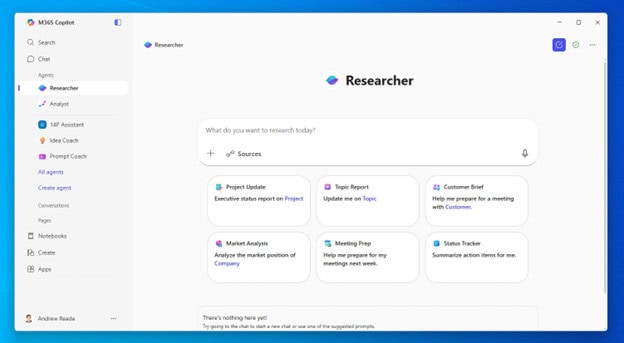
Using the Copilot Researcher Agent: Deep Research, Done Fast
Whether you’re working in Microsoft 365 or inside Copilot Studio, this agent can explore, analyze, and provide a summary of information faster than most people can type their first query.

3 Prompt-Engineering Techniques to Get the Best from Copilot
If you want Copilot to work to its potential, the secret is giving it a navigable map. Below are three practical, repeatable techniques we use at Mobile Mentor to turn fuzzy asks into crisp outputs you can act on.

Why You Need a Microsoft Copilot Consultant to Scale Your Team’s Skills and Automation
AI is no longer an experiment, it’s the new infrastructure of productivity. Microsoft Copilot is leading that shift, transforming how employees write, analyze, plan, and collaborate. But as businesses start to explore its power, one truth becomes clear: you can’t scale Copilot success without guidance.

Passwords and Data Vulnerability
Cybercrime is spiraling out of control, and companies are failing to keep up. Cybercriminals are now exploiting passwords and penetrating every company in the world. If you are still relying on passwords to keep your data safe, your security is in extreme jeopardy. The future is passwordless authentication.


